Aero Ranger CORE + PatrolLink
Inspections
From the first field observation to the next action.
Build the template in CORE. Capture the details in PatrolLink. Bring the evidence, location and findings together in the dashboard.
In the CORE dashboard
The whole inspection picture.
Templates, inspection locations and evidence review in one workspace, ready for the team behind the field officer.
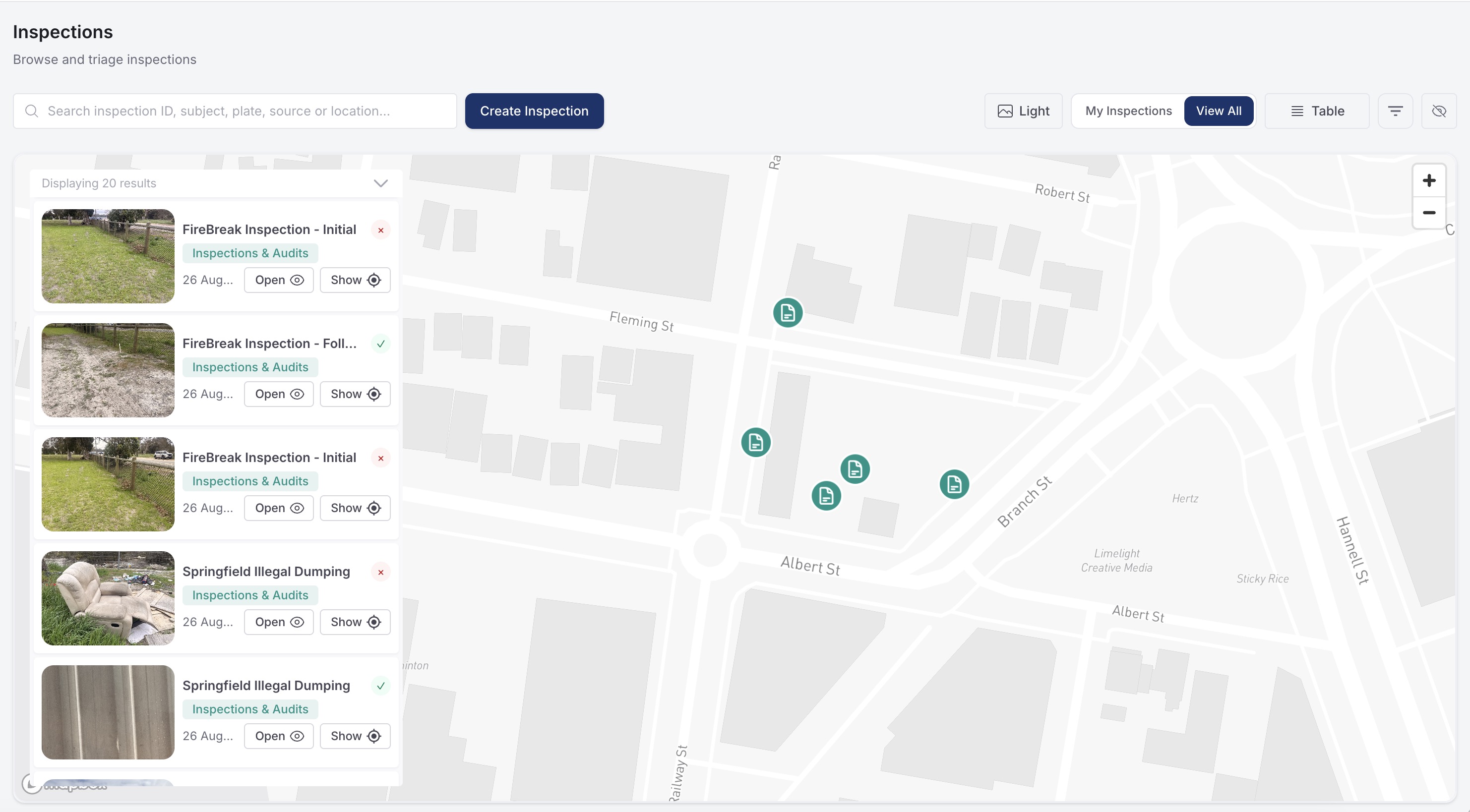
Locate the work. Review the record.
Browse inspections by location, search the queue and switch between your inspections and the wider team view.
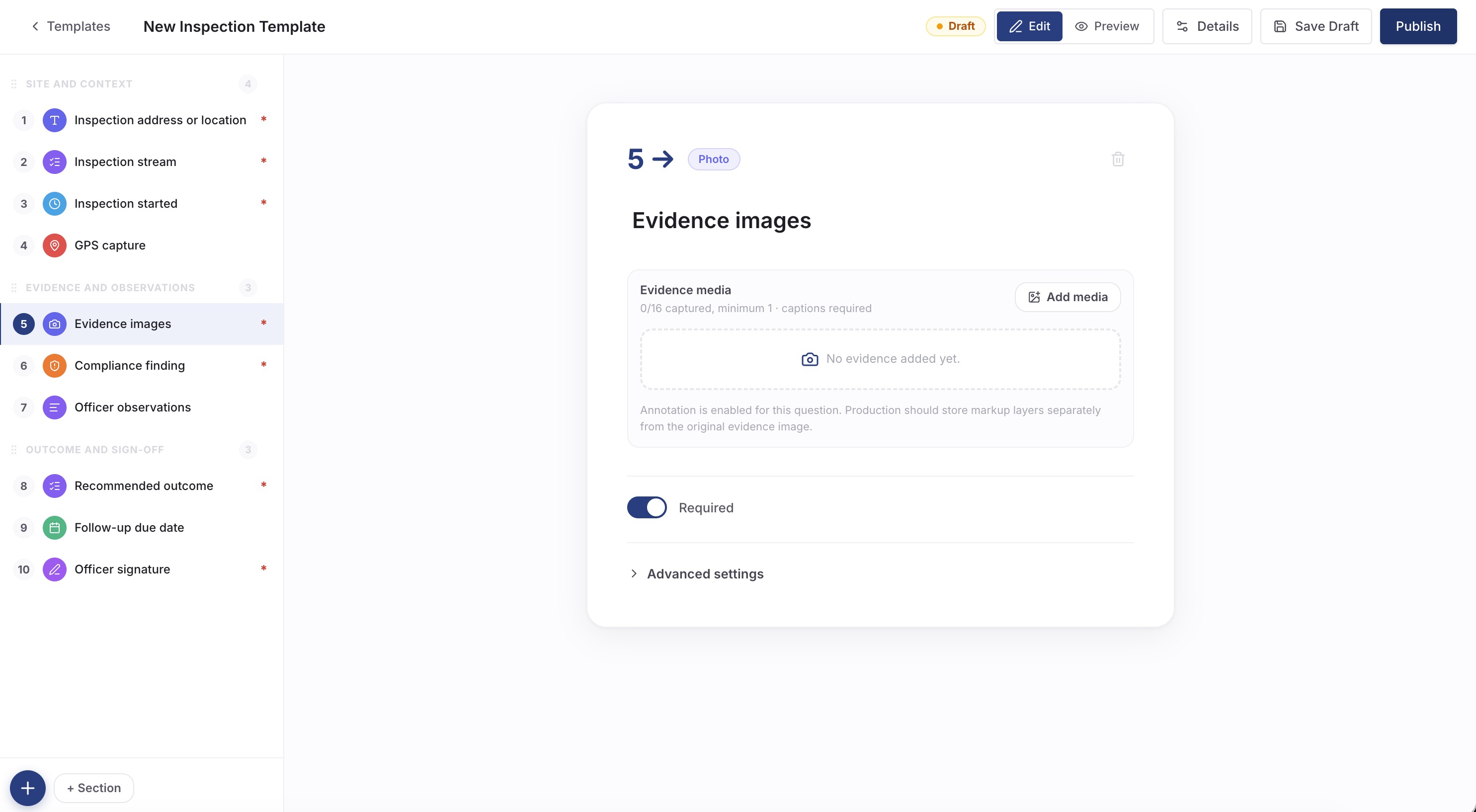
Set the standard before officers head out.
Organise questions into sections, choose required fields, preview the form and publish the template for field use.
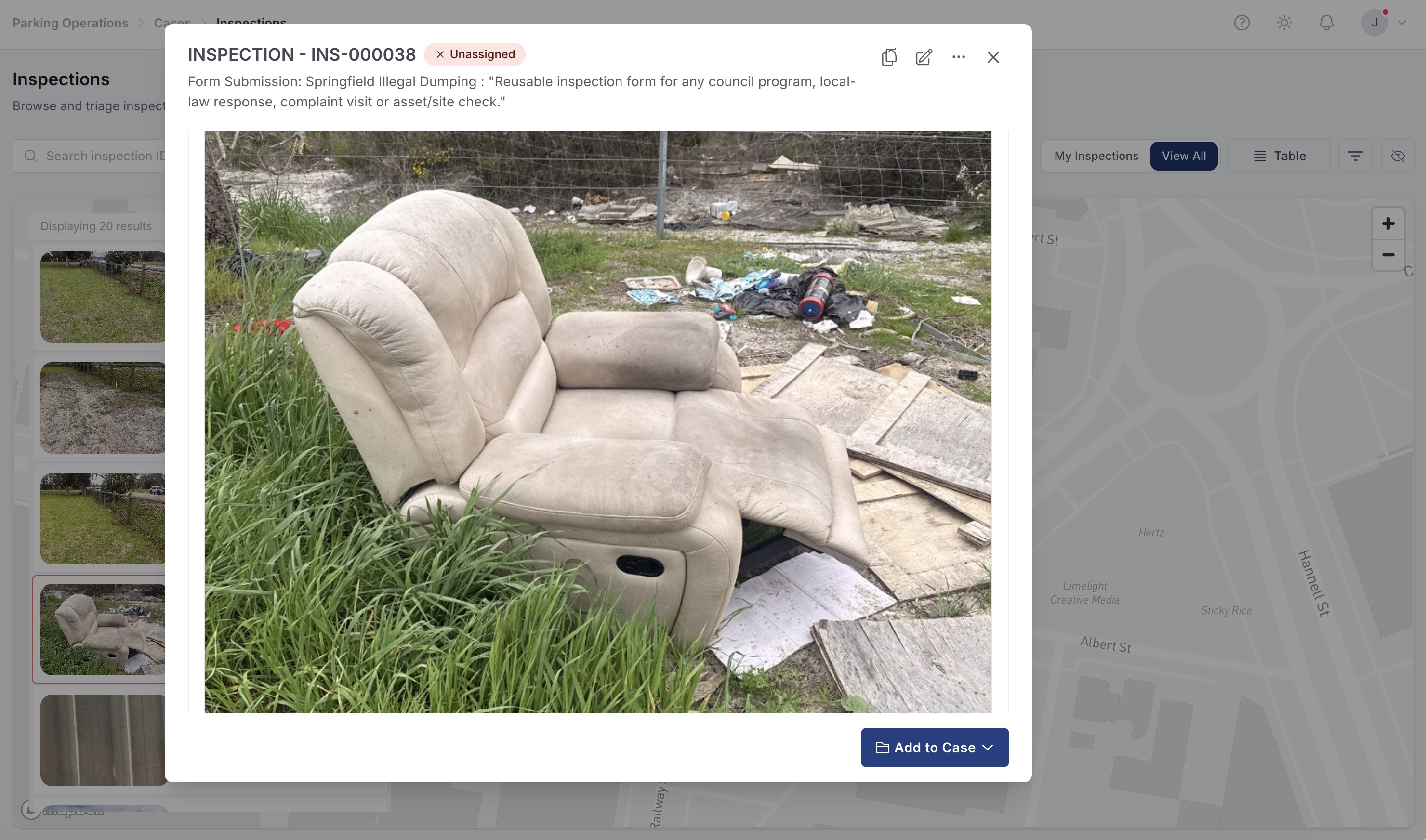
Keep the evidence connected to the next action.
Open the inspection, review the captured photos and add evidence to a case when the matter needs follow-up.
On patrol / iPhone and Android
Capture it while you are there.
PatrolLink brings the inspection to the officer. Open a template, record the site and add the details that make the submission useful back at the office.
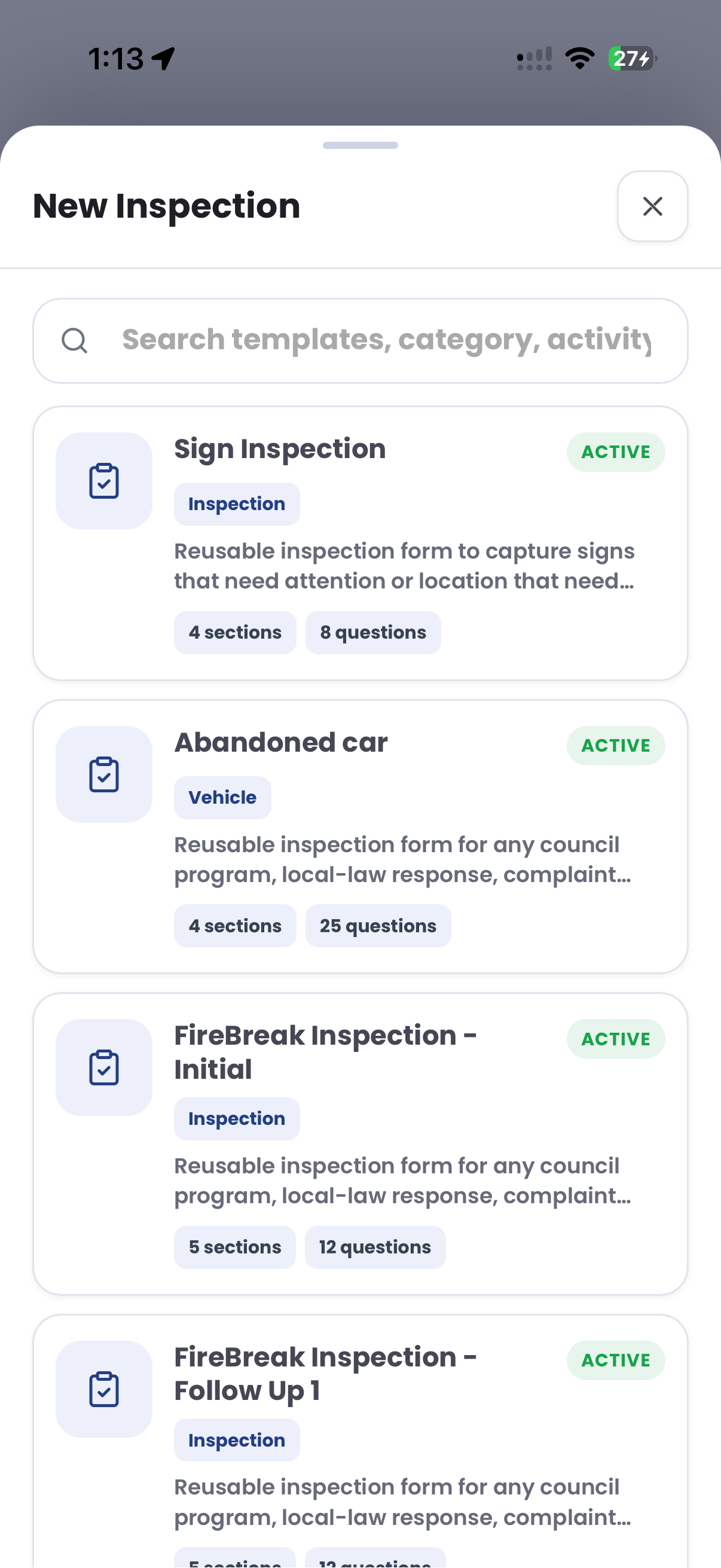
The right template for the job.
Start from active templates for signs, vehicles, firebreaks and other council programs.
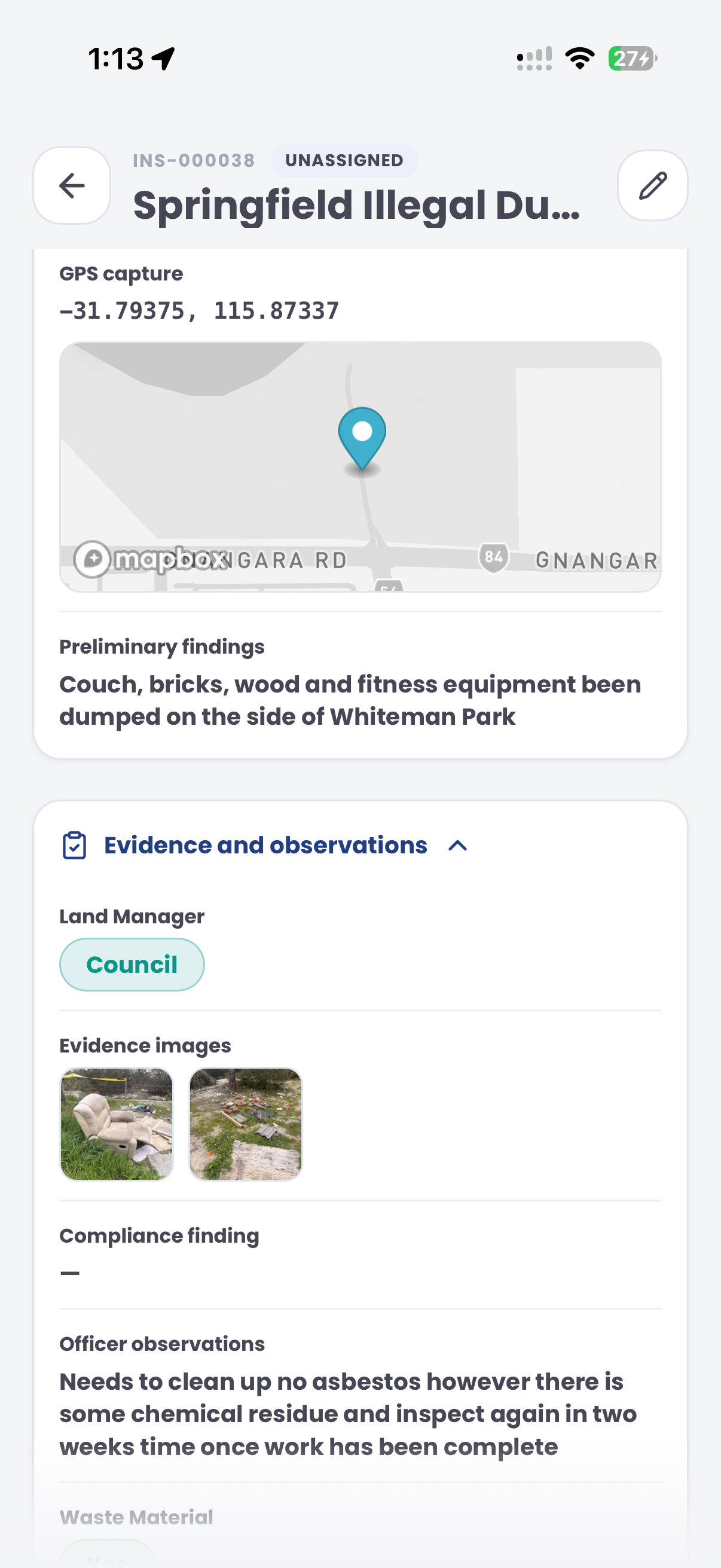
Photos, location and observations.
Record what you found, where it happened and the evidence behind the inspection.
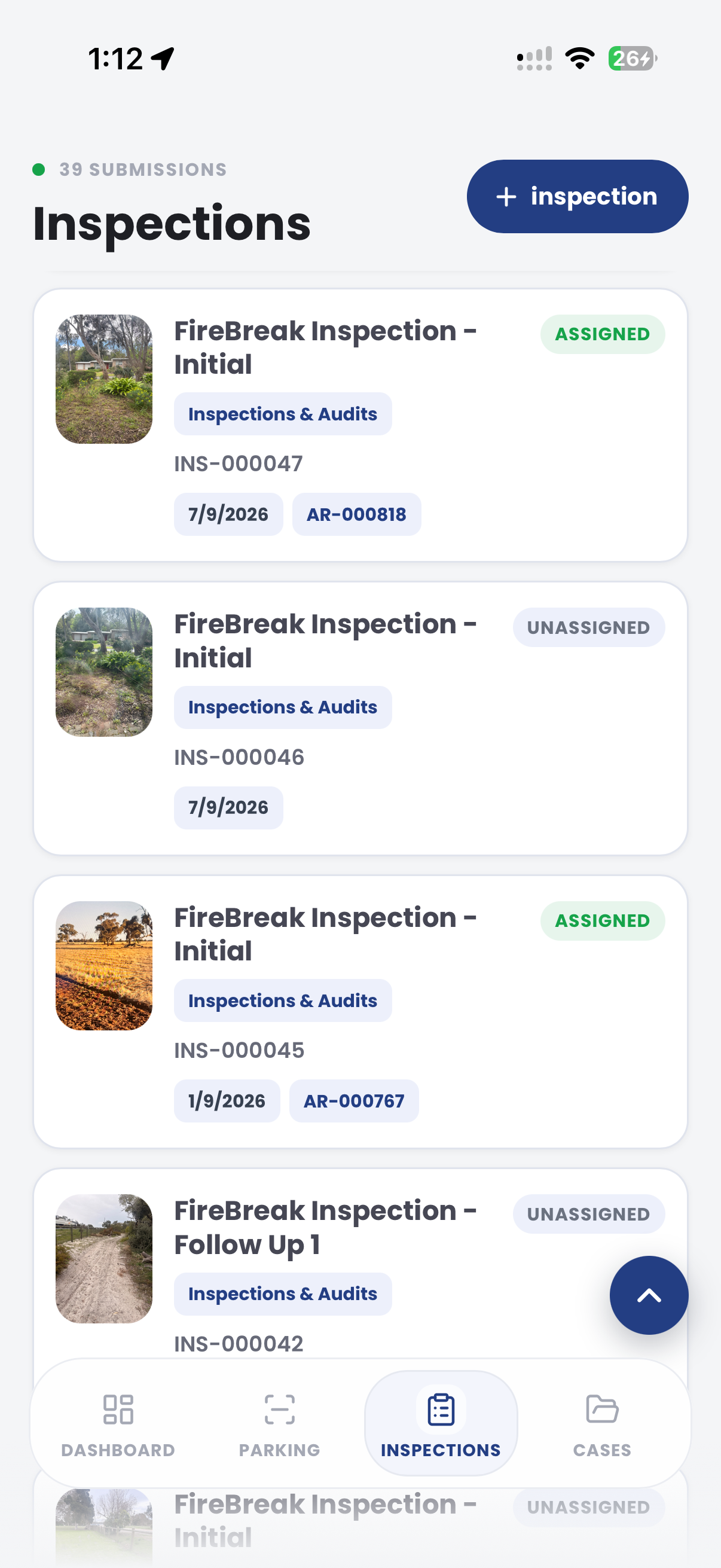
Keep the field work in view.
Open inspection records, see assignments and return to initial and follow-up checks.
Built in CORE
A form that fits the inspection.
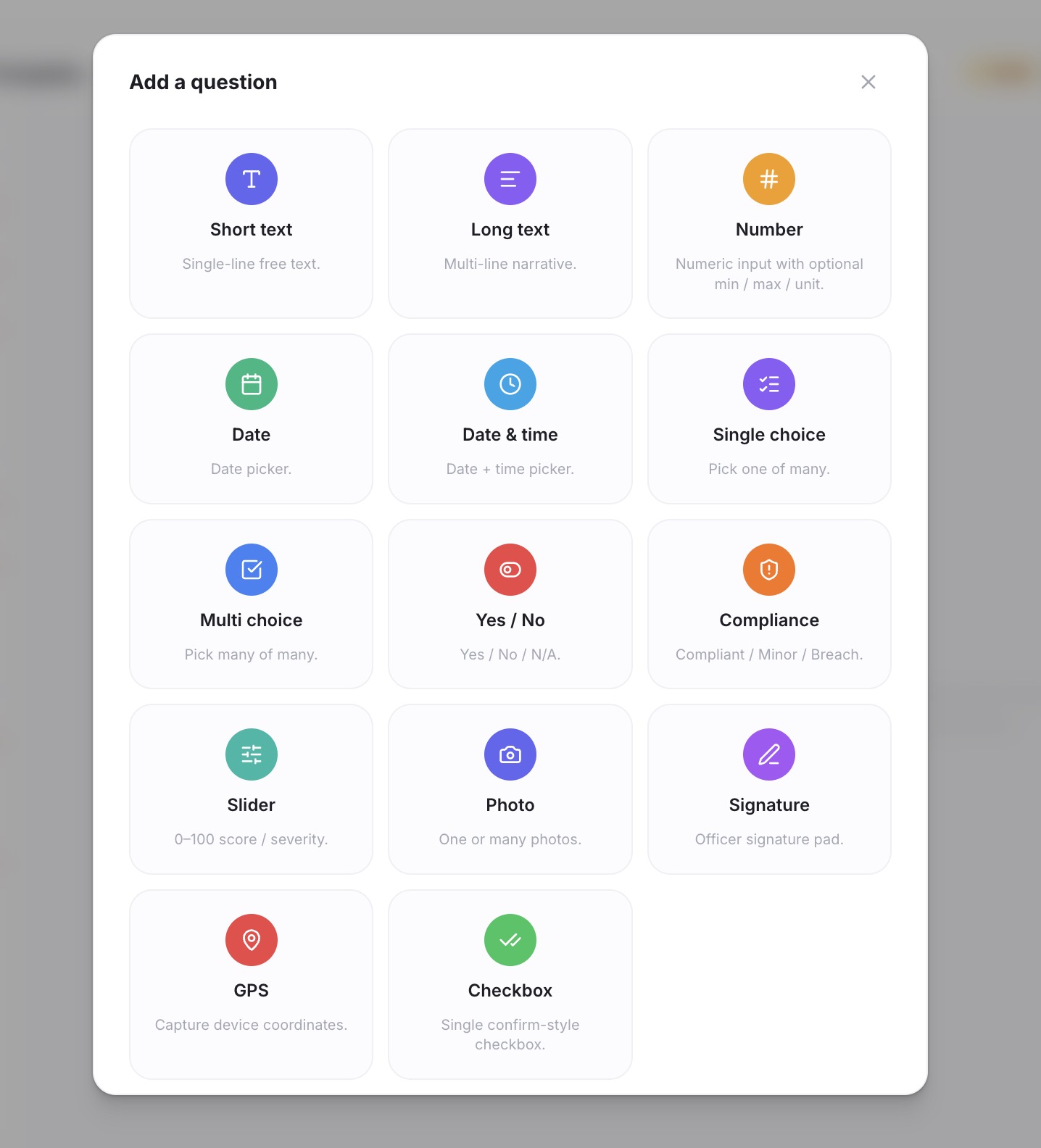
Build reusable templates around the questions your team needs answered. Group them into sections and make essential evidence required.
- Record the context
- Short and long text, numbers, dates and time.
- Make findings consistent
- Single or multiple choice, yes/no, compliance, sliders and checkboxes.
- Capture the evidence
- Photos, device GPS and officer signatures.
Preview a template before publishing it for the team.
Across council field work
One workflow. Different kinds of inspection.
From field to dashboard
Take the inspection
further.
Bring a form or a field process. We will walk through the template, the PatrolLink capture and the CORE review with your team.
CORE Academy
Know the workflow. Grow your knowledge.
Explore practical courses for office and field teams, and work towards Aero Ranger certification.
Take PatrolLink into the field.
Get the field app for iPhone, iPad and Android. Your organisation provides your account access.