Pool and spa barrier inspections with evidence-led reinspection records.
Aero Ranger supports authorised pool and spa barrier inspection programs with property context, checklist responses, photos, assigned follow-up and reinspection history.
Keep the barrier, gate, evidence and reinspection together.Use the organisation's authorised checklist and jurisdictional requirements, then keep the observation and next action connected.
PropertyAuthorised address and pool or spa context
BarrierFence, gate, latch and surrounding observations
EvidenceChecklist responses, photos, notes and documents
Follow-upAssigned actions, reinspection and recorded outcome
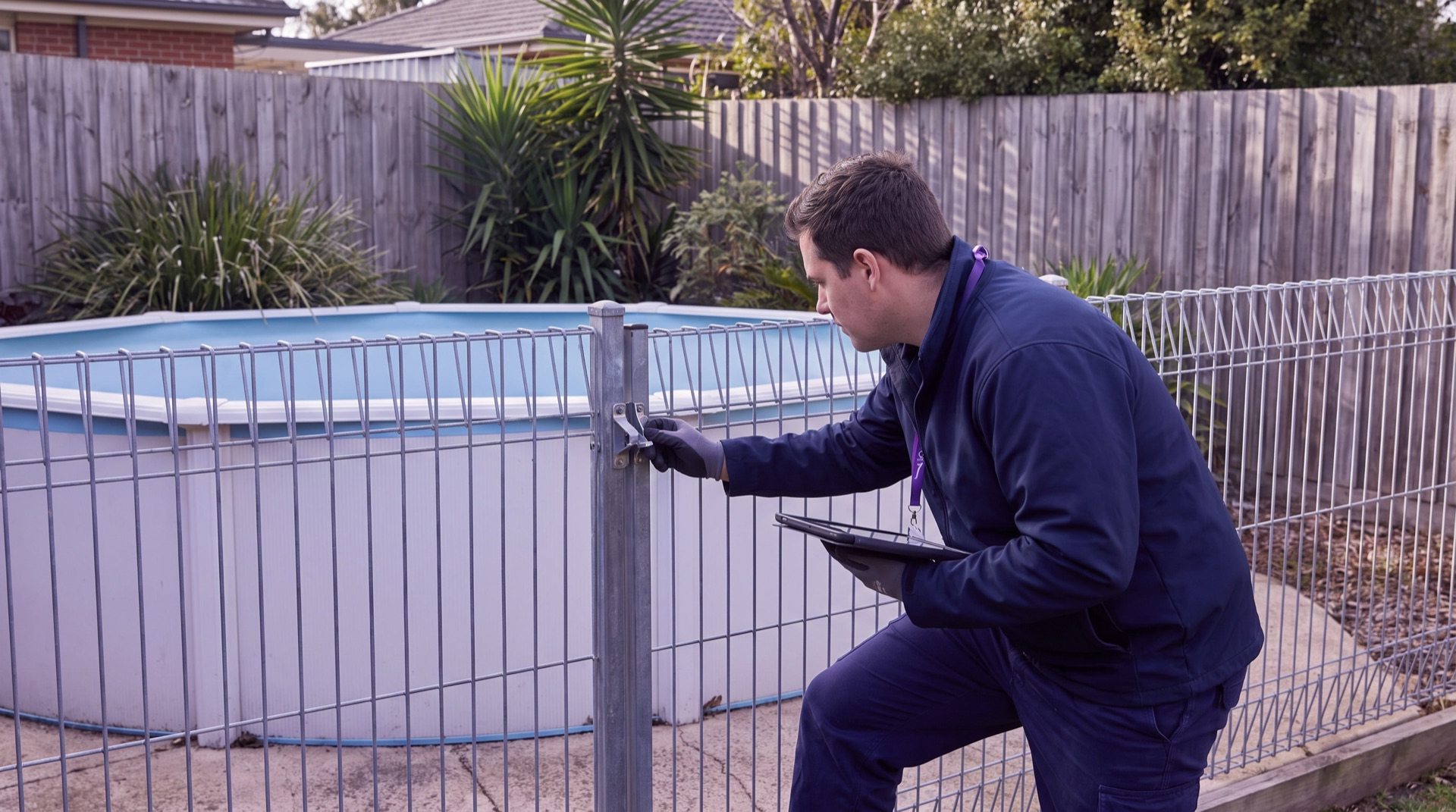
A pool barrier visit can involve gates, latches, clearances, surrounding objects and earlier records.
Requirements and inspection intervals vary by jurisdiction. An authorised officer can use the applicable checklist, record observed conditions and route any decision or follow-up through the organisation's approved process.
The field record needs exact context
The exact gate, latch, fence section or surrounding condition needs to be clear to the reviewer and any later reinspecting officer.
Evidence arrives in different formats
Photos, notes, measurements, samples and supporting documents can become difficult to review when they are stored separately.
Authority and follow-up must stay clear
The record should show the authorised role, review stage, assigned action and outcome without implying a decision outside that role.
The field app / iPhone and Android
PatrolLink for your field team.
Bring parking patrols, inspections, photos, GPS, tasks and cases into a connected mobile workflow. Capture the field record in PatrolLink and carry it into CORE for review.
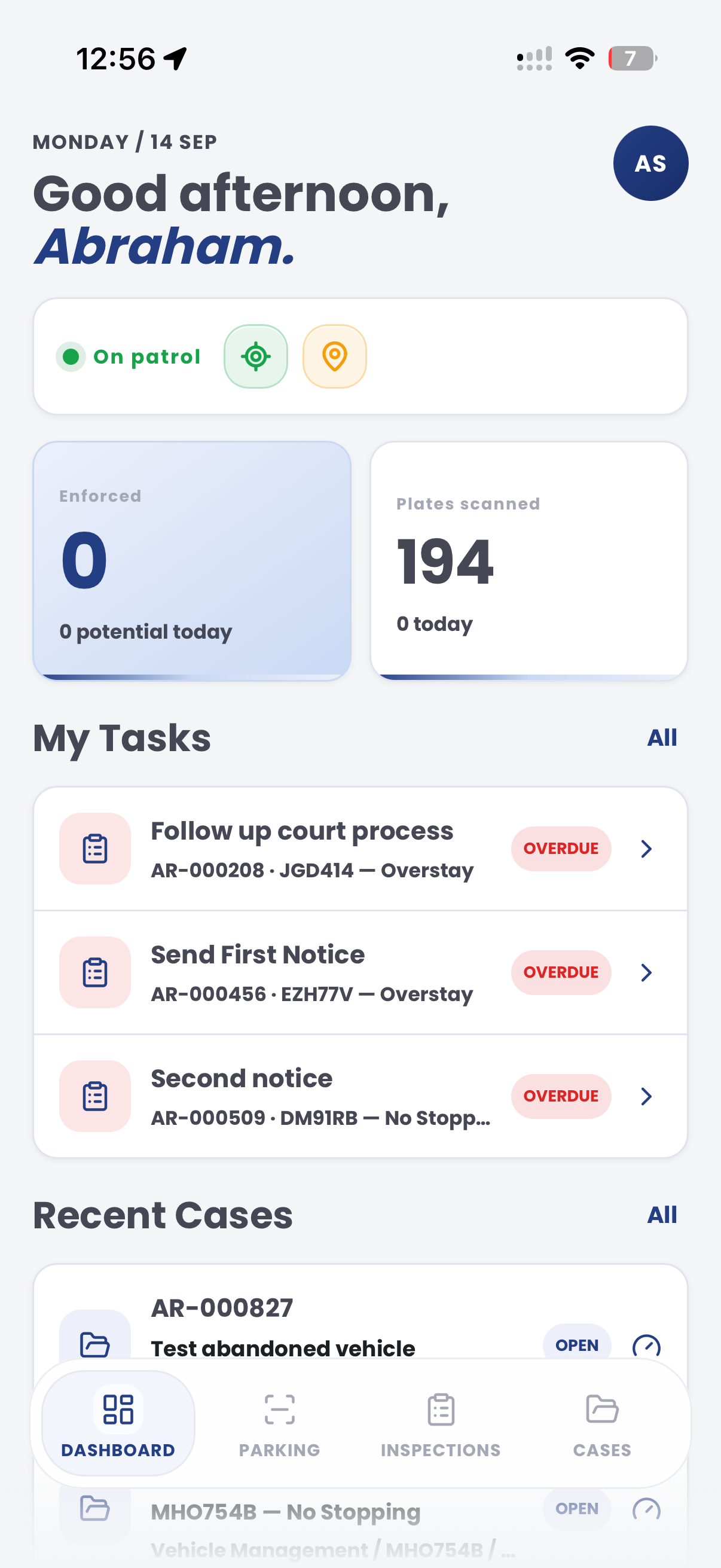
Start with the workSee priority tasks and recent cases on the dashboard.
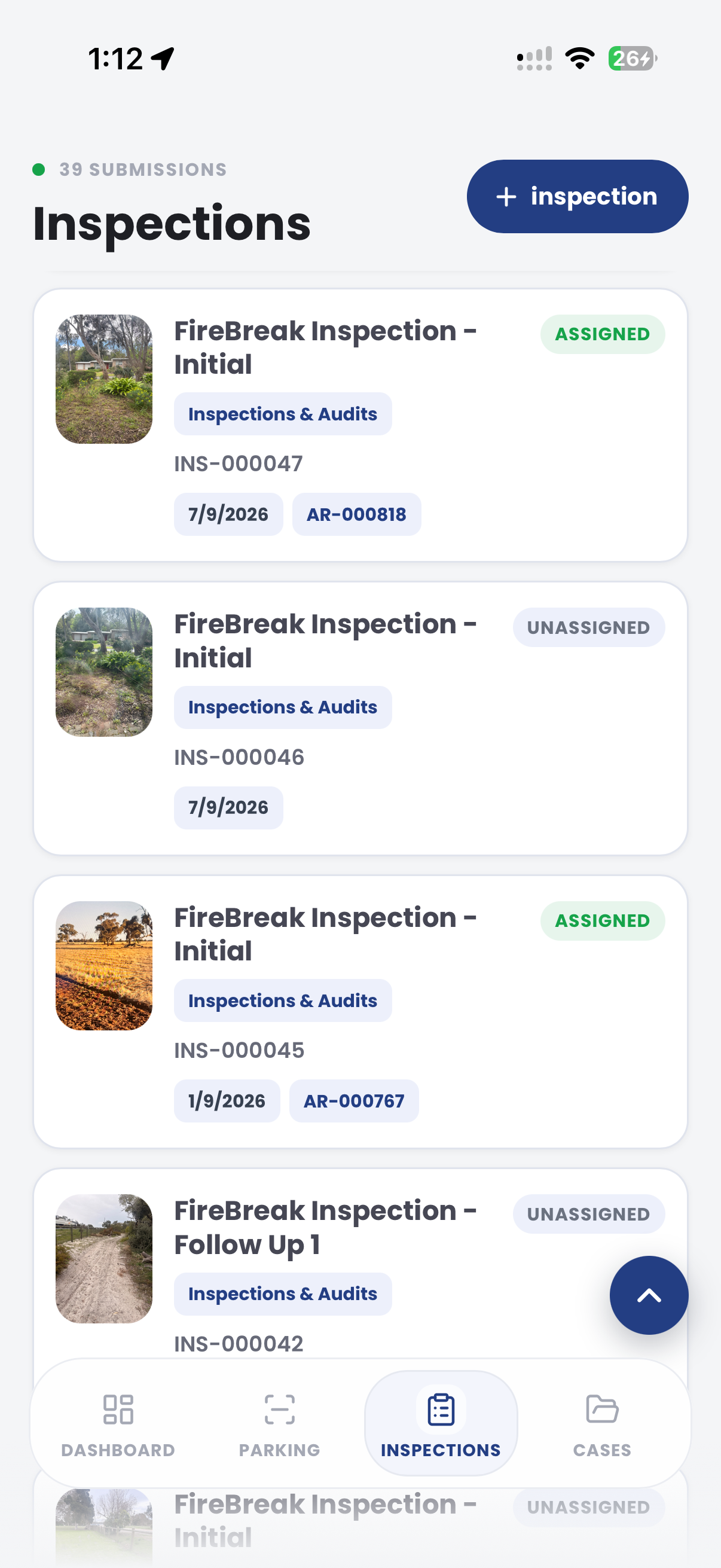
Open the inspectionReview assigned and unassigned inspection records.
Keep the team connectedBring field observations back into the CORE workflow.
The useful question is not which feature exists. It is whether the team can see the place, rule, evidence, exception, next action and review history before making a decision.
Authorised inspection templates
Configure prompts for pool and spa barriers, gates, latches, clearances and supporting records.
Template editor, question types, required responses and evidence prompts.
Mobile field records
Record observations, photos, notes, measurements and timestamps during the visit.
PatrolLink inspections, attachments, location context and audit history.
Review and assigned action
Route the record through the organisation's approved assessment and follow-up process.
Cases, tasks, owners, priorities, due dates and statuses.
Program reporting
Review inspection coverage, open actions and recorded outcomes by authorised users.
Dashboards, filters, maps, exports and review history.
Record each barrier observation where it is found.
A structured record can keep approved prompts, photos, notes, measurements, documents and review history together without replacing the authorised officer's judgement.
Property context
Record the authorised property, pool or spa and inspection purpose.
Barrier context
Identify the fence section, gate, latch, clearance or surrounding condition observed.
Reinspection context
Retain notices, owner communication, assigned actions and subsequent visit history.
Example CORE record for a pool and spa barrier inspection
A contextual CORE view keeps the case, rule, evidence, workflow status and next action together.
City of UtopiaCasesPOO-10001Review
Open
Review
Action
Closed
Barrier observation
Barrier, gate and latch observations recorded for authorised reviewAuthorised pool or spa inspection
Pool barrier inspection
Review
Authorised inspection review
Confirm the appropriate next action
Review the inspection context, evidence, authority and owner
StatusOpen
EvidenceAttached
Next actionReview
DecisionPending
Next actions
Review evidence
Confirm rule
Record outcome
Chain of evidence collection
Aero Ranger keeps the issue photos, place context, rule context and follow-up state together so the case can be checked later without rebuilding the record.
Barrier, gate and latch observations recorded for authorised review · Authorised pool or spa inspection
Issue photoBarrier, gate and latch observations recorded for authorised review
The issue photo stays on POO-10001 with the case note and current case status.
Place contextMapped field location
Site, street, reserve, bay, kerbside or zone context stays attached so reviewers can see where the issue occurred.
Rule contextConfirm the appropriate next action
The relevant signage, permit condition, local-law category or operating rule is recorded beside the issue evidence.
Follow-up stateAuthorised pool or spa inspection
Later photos, reinspection notes, notice evidence and closure decisions remain in the same case trail.
A typical operational workflow in Aero Ranger CORE.
In CORE, a pool and spa barrier inspection can connect the visit, authorised template, field evidence, review tasks and recorded outcome.
Workflow path
Prepare
Inspect
Attach evidence
Review
Assign follow-up
Record outcome
The pool and spa barrier inspection record would hold:
Subject and authority
Authorised property, pool or spa, barrier section, visit purpose and applicable inspection program.
Field record
Prompt responses, observations, photos, notes, measurements, documents and timestamps.
Review and outcome
Authorised reviewer, assigned action, due date, status, reinspection and recorded outcome.
A reviewable path from field visit to recorded outcome.
Templates and review stages can be aligned to the organisation's program, authority and local requirements.
Prepare
Select the place, subject and approved inspection template.
Inspect
Work through the approved barrier prompts and record observed conditions without making an automated legal determination.
Record
Attach relevant observations, photos, notes, measurements or documents.
Review
Apply the organisation's authorised assessment process and jurisdictional requirements.
Follow up
Assign the appropriate task, reinspection, referral or recorded outcome.
The same model extends across compliance work.
Once capture, evidence and case flows are working, related compliance categories can use the same platform pattern.
Public amenity inspections
Use structured records for council-managed aquatic amenities.
Aquatic facility inspections
Connect public-pool operating and plant observations to authorised review.
Public building inspections
Record related premises and access observations through approved programs.
Configure the workflow.
Use these CORE guides when setting up the zones, cases, permits, evidence templates, notices and reports that support this operating model.