Vehicle and traffic operations
Aero Ranger helps vehicle-hire and roadside-assistance teams manage their own fleet, use ANPR from authorised service vehicles, fixed locations or drones to audit eligible member or customer vehicles with controlled purpose, access and retention, and send exceptions into review.
30 days risk free. Start with one workflow and a clear success criterion.
The operating problem
A useful workflow distinguishes managed-fleet activity from ANPR observations made by authorised roadside-service vehicles against eligible member or customer vehicle lists, then keeps the source, zone, time and exception action together.

The source workflow
In CORE, a yard stocktake works best as an operational review record that connects vehicle observations, yard context, reconciliation notes, ownership and final outcome.
Vehicle identifier, observed depot, zone, time and capture source.
Expected record, observation history and reconciliation notes.
Owner, next task, due date and resolution.
The record keeps stocktake context and the resulting action together instead of leaving a discrepancy in a separate list.
Managed-fleet status and ANPR observations of other vehicles serve different operating purposes and need clear handling.
Member-vehicle audits need a defined purpose, limited access, proportionate retention, transparency and a reviewable decision path.
The reviewable record
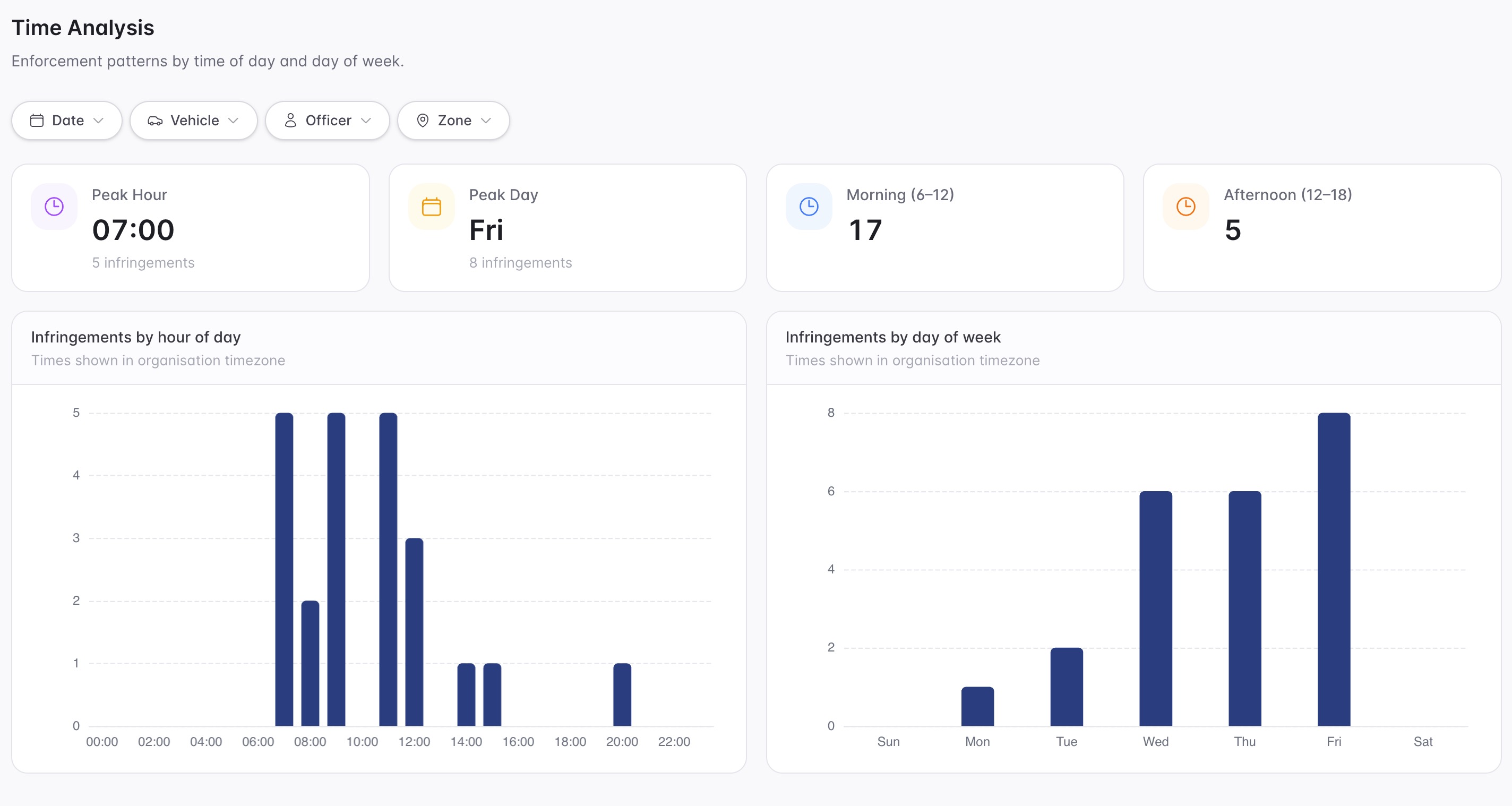
Teams need a practical way to review fleet activity, authorised member-vehicle audit observations and exceptions requiring follow-up.
A focused first test
Teams need a practical way to review fleet activity, authorised member-vehicle audit observations and exceptions requiring follow-up.
Track the operator’s fleet across defined branches, yards and operating areas.
Use ANPR from approved roadside-assistance vehicles, fixed sources or drones to audit eligible member or customer vehicles only for the operator’s defined and authorised purpose.
Use drone capture only where the operator has the required aviation authority, site controls and privacy safeguards for the intended operation.
30 days risk free. Start with one workflow and a clear success criterion.
Related operating considerations
Find recent vehicle observations across operating locations.
Review vehicles moving through return, maintenance and ready states.
Managed-fleet status and ANPR observations of other vehicles serve different operating purposes and need clear handling.
Member-vehicle audits need a defined purpose, limited access, proportionate retention, transparency and a reviewable decision path.
The field app / iPhone and Android
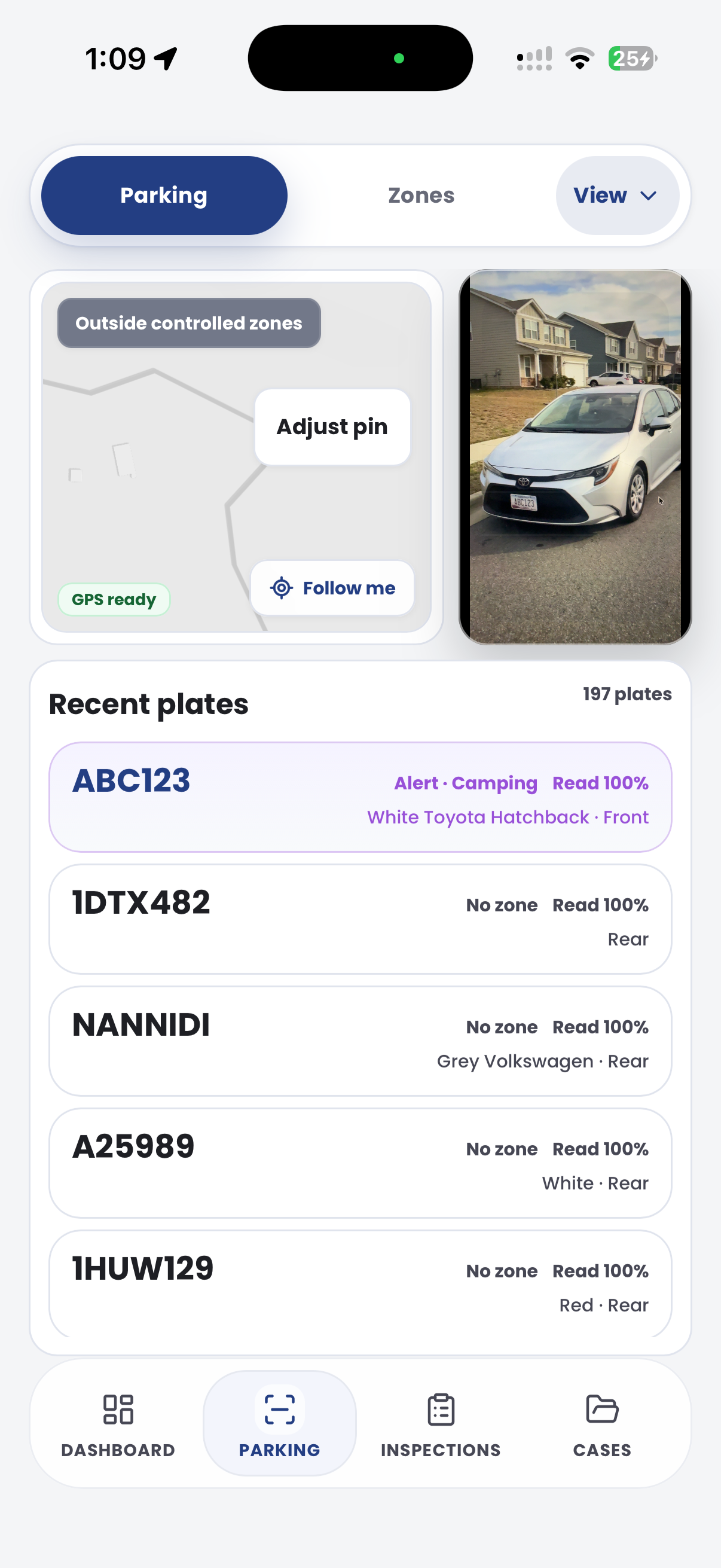
Capture vehicle and location observations while walking the yard. Keep exceptions and supporting evidence connected to the wider stocktake workflow in CORE.

Customer field stories
Seven short case studies covering parking, patrol, evidence and compliance workflows in real operating environments.
A council team discusses field capture, review and day-to-day parking operations.
Full product walkthrough
Watch the full CORE walkthrough for a closer look at connected field work, evidence, cases, permits and reporting.
Use a free 1:1 strategy session to outline the current process, name a practical success criterion and decide whether to start a 30-day risk-free trial.
Free from Aero Ranger
No login required. Aero NoticeFlow turns spreadsheet rows and your approved notice PDF into individual notices you can review and download in your browser.

