Parking operations
Aero Ranger helps parking teams detect vehicles parked in paid zones without a valid app-provider or meter session by matching ANPR reads to imported session windows, zone scope, permit exceptions, evidence and case workflows.
30 days risk free. Start with one workflow and a clear success criterion.
The operating problem
Paid parking teams often receive session data from app providers, meters and similar systems. The enforcement workflow needs to know whether a plate had an active paid session, whether that session covered the right zone, and whether a permit or exemption should suppress the decision.
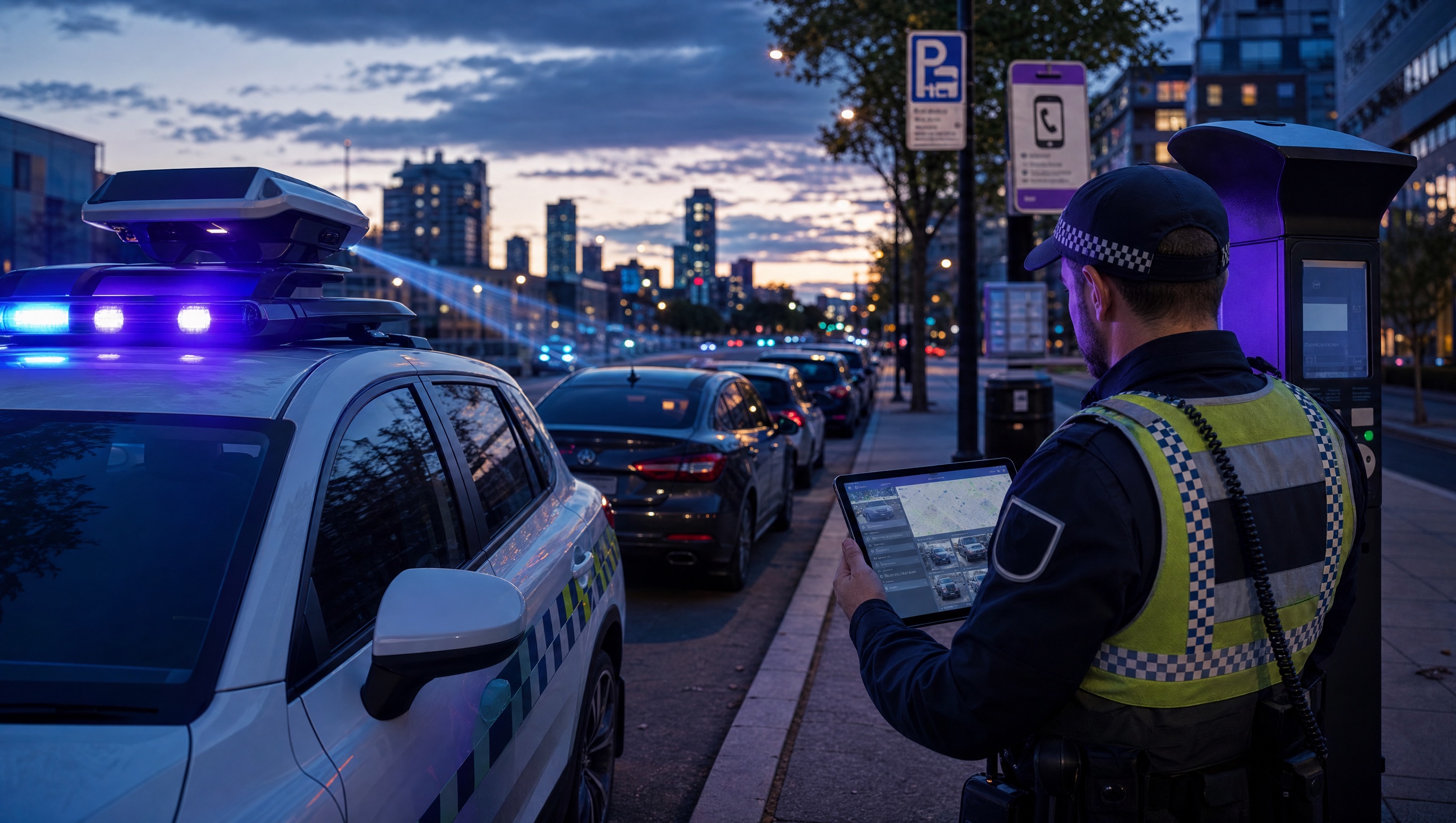
The source workflow
No-active-session work is a reconciliation problem. The patrol read has to be compared with app, meter, permit and grace-period data before council can be confident the vehicle had no valid session.
Confirm the zone, tariff window, bay or street segment and whether the vehicle was captured during an active paid-parking period.
Compare app and meter sessions, permits, free periods, grace periods, provider sync status and any outage or manual exception notes.
Issue, close, hold for provider review or report a data-sync issue, while keeping the evidence and lookup result together.
Rego, paid parking zone, bay or street segment, observation time, patrol source and active tariff window.
App provider session, meter session, payment window, expiry, provider reference and sync status.
Valid permit, free period, grace period, special vehicle, provider outage or manual officer override.
The reviewable record
A no-session decision needs field context and provider context: the plate, zone, read time, provider validity window, external reference, permit exception and evidence record.
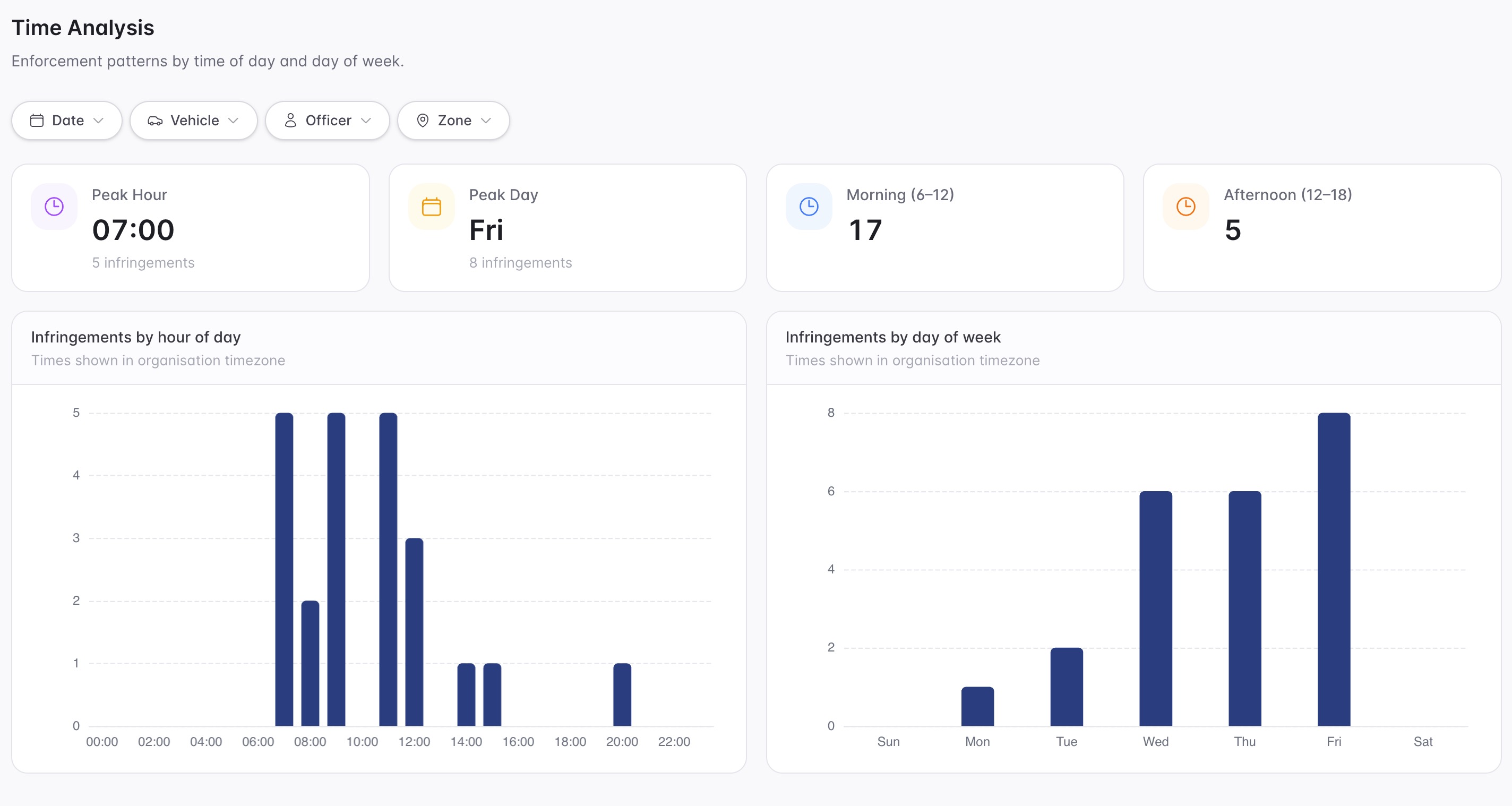
A focused first test
Bring a real paid parking zone and we will walk from ANPR read to session match, provider sync check, evidence capture, case review and notice generation.
Bring in short-term paid parking entitlements from app providers, meters and similar third-party systems.
Use paid-parking zone configuration and provider zone scope so detections are evaluated only where payment is required.
Compare ANPR reads against active paid sessions and valid permits before surfacing a no-session or no-payment workflow.
30 days risk free. Start with one workflow and a clear success criterion.
Related operating considerations
Use zone rules and dwell logic when a vehicle has stayed beyond the paid or timed limit.
Use permit categories and active hours when access is authorised by a permit instead of a session.
Use longer dwell and case workflows for vehicles that remain in place beyond normal parking behaviour.
Track hotspot zones, provider sync quality, repeat vehicles and enforcement outcomes.
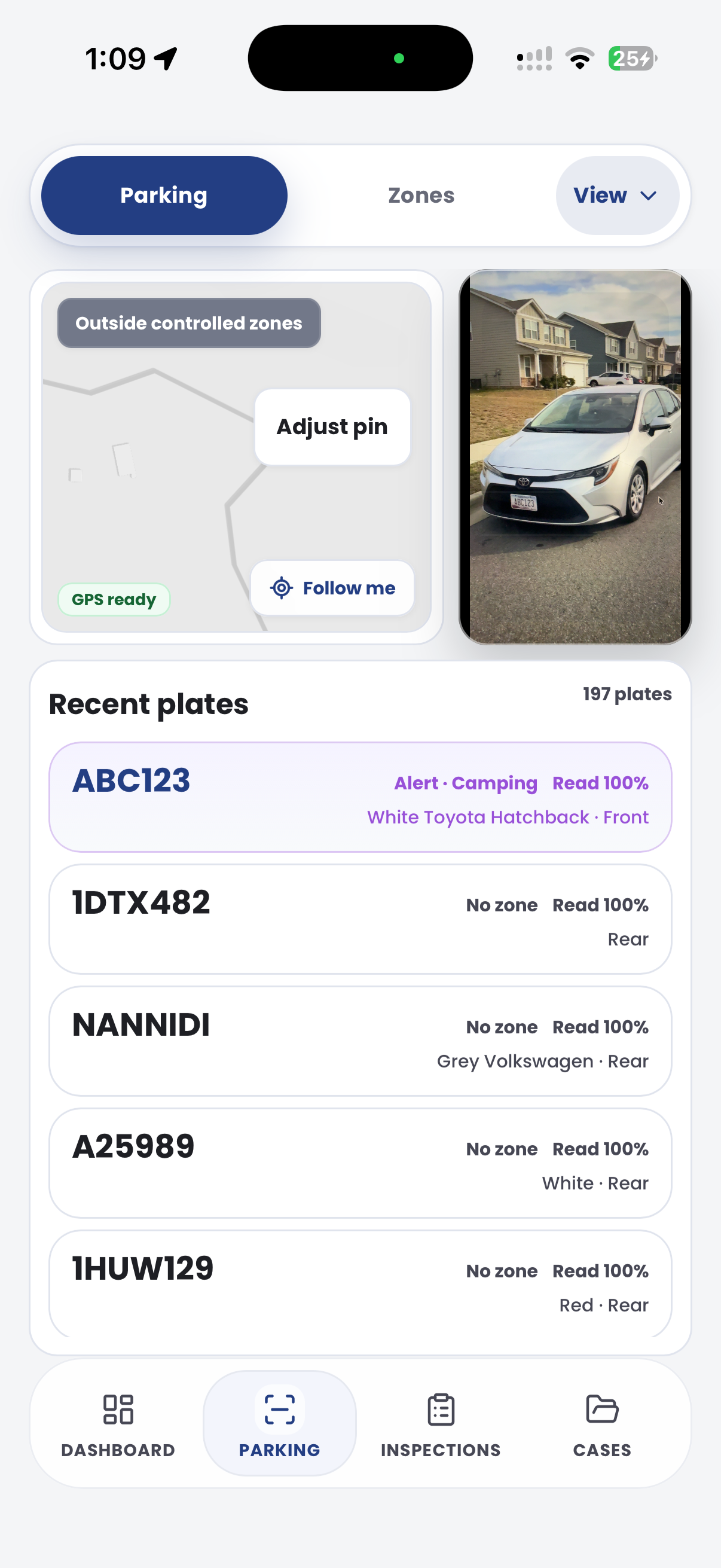
The field app / iPhone and Android
Capture the vehicle and the site while on patrol. The field record supports the wider review of parking sessions, exemptions and potential matters in CORE.

Customer field stories
Seven short case studies covering parking, patrol, evidence and compliance workflows in real operating environments.
A council team discusses field capture, review and day-to-day parking operations.
Full product walkthrough
Watch the full CORE walkthrough for a closer look at connected field work, evidence, cases, permits and reporting.
Use a free 1:1 strategy session to outline the current process, name a practical success criterion and decide whether to start a 30-day risk-free trial.
Free from Aero Ranger
No login required. Aero NoticeFlow turns spreadsheet rows and your approved notice PDF into individual notices you can review and download in your browser.

