Parking operations
Aero Ranger helps teams manage loading zones, delivery windows and clearway restrictions by applying zone rules, vehicle type context, dwell time, evidence, alerts and case workflows.
30 days risk free. Start with one workflow and a clear success criterion.
The operating problem
Loading zones and clearways change by time of day, vehicle type and operational need. Teams need clear rules and evidence before creating a breach matter.

The source workflow
Loading zones and clearways are short-window rules. Council needs to separate active loading, passenger drop-off, authorised vehicles, clearway timing and genuine obstruction before deciding the outcome.
Check the sign, active hours, clearway schedule, loading allowance, vehicle type requirement and whether the vehicle was attended or actively loading.
Capture photos, repeated observations, duration, lane or bay impact, officer notes and any move-on direction.
Issue, warn, direct the vehicle to move, refer for tow where appropriate, or close with reasons, then report corridors under pressure.
Street segment, loading bay, clearway, active time window, signage notes and zone profile.
Rego, vehicle type, commercial indicator, dwell duration, activity observed and whether loading appears active.
ANPR reads, photos, timestamps, officer notes, repeat observations and schedule match result.
The reviewable record
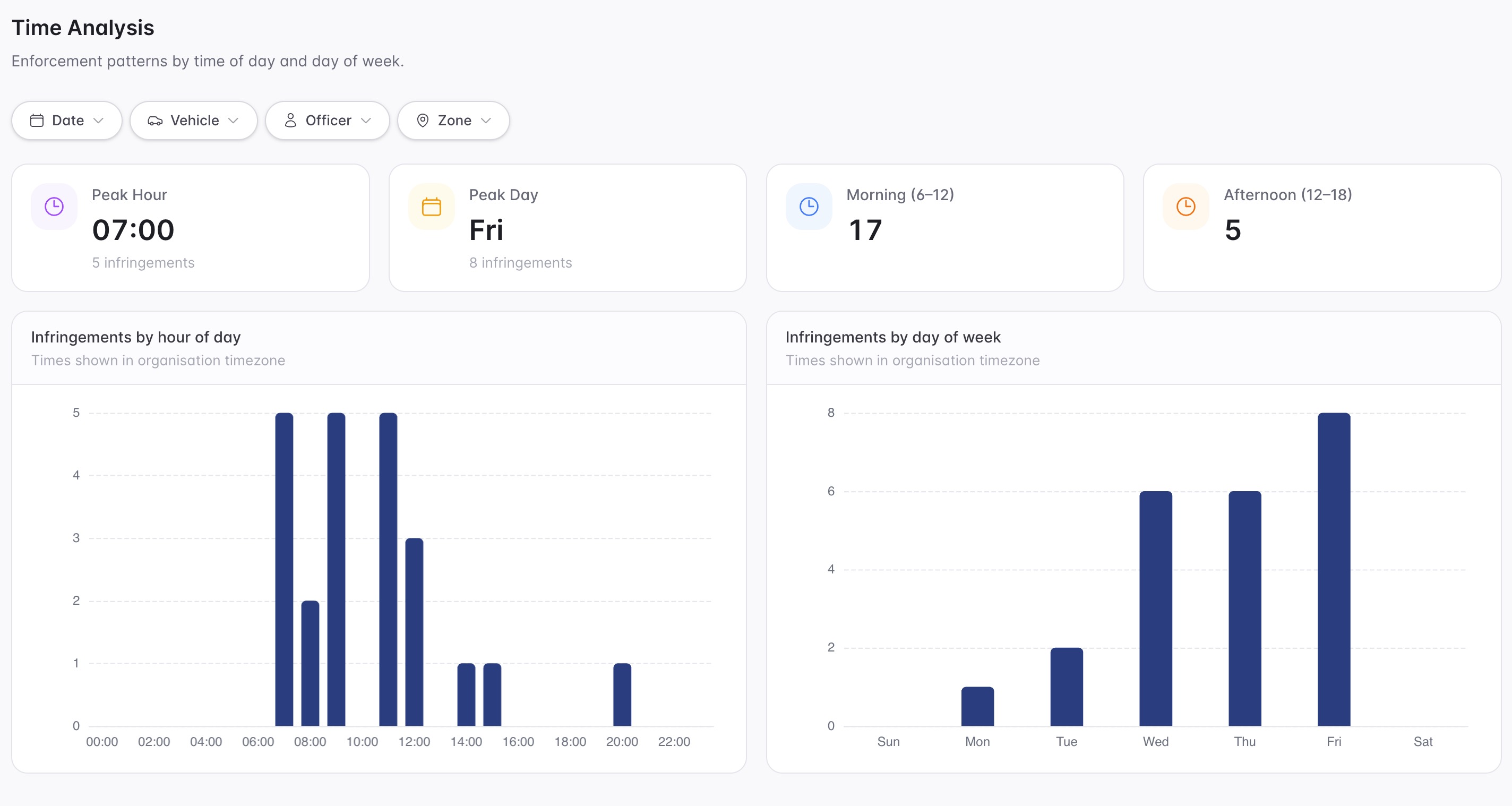
A kerbside review needs the vehicle class, location, time window, dwell duration, evidence image and configured rule together.
A focused first test
Bring a priority street or corridor and we will map the rule windows, evidence capture, review queues and reporting.
Configure loading, clearway and no-stopping windows by day and time.
Use configured vehicle restrictions and confidence thresholds where vehicle class matters.
Measure whether a vehicle remained beyond the permitted loading or stopping window.
30 days risk free. Start with one workflow and a clear success criterion.
Related operating considerations
Use vehicle type, street restrictions and time windows for commercial vehicle review.
Apply dwell and grace logic to short-stay or loading windows.
Change kerbside rules when event movement changes normal demand.
Report corridor pressure, repeat vehicles and peak breach periods.
The field app / iPhone and Android
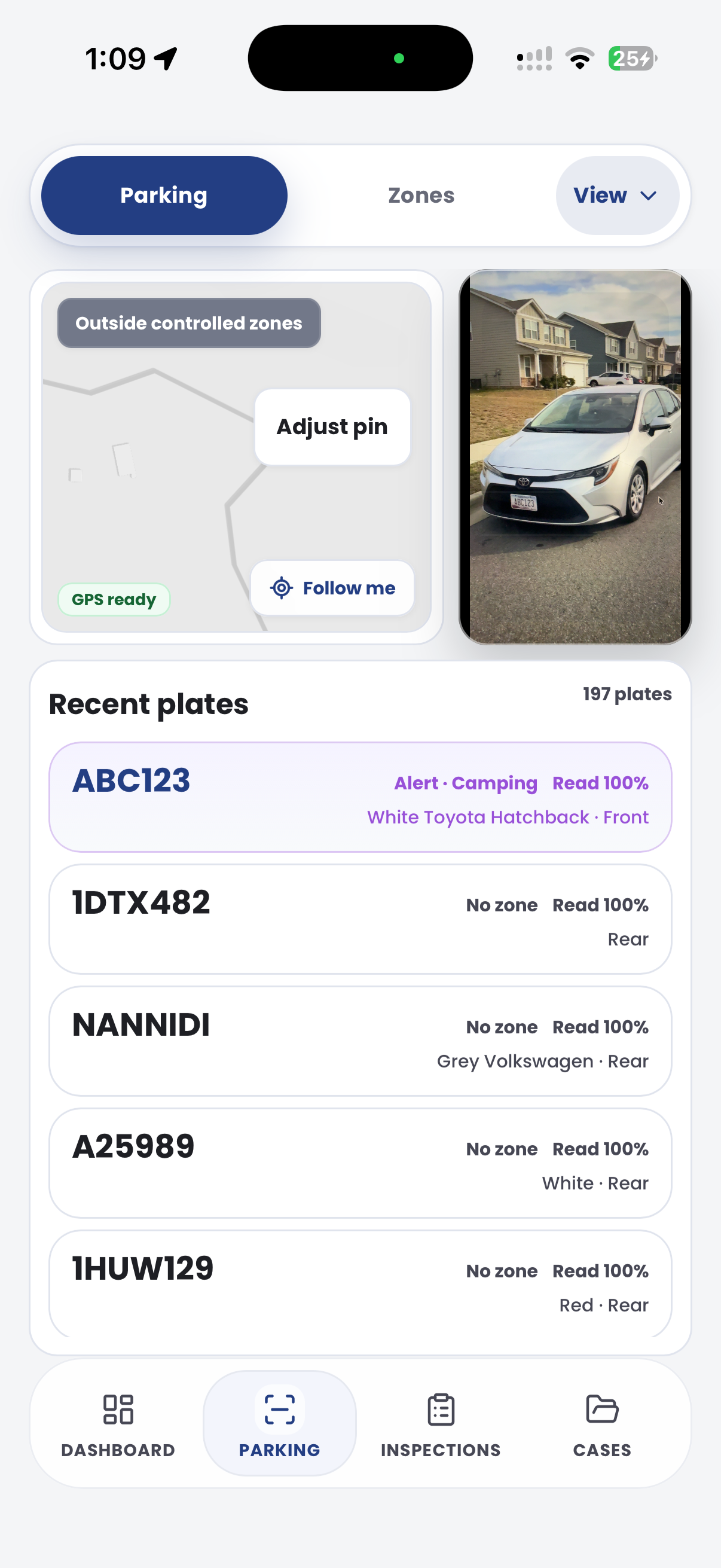
Capture site and vehicle observations at busy loading areas and clearways. Keep the field evidence connected to the review of active rules and exceptions.

Customer field stories
Seven short case studies covering parking, patrol, evidence and compliance workflows in real operating environments.
A council team discusses field capture, review and day-to-day parking operations.
Full product walkthrough
Watch the full CORE walkthrough for a closer look at connected field work, evidence, cases, permits and reporting.
Use a free 1:1 strategy session to outline the current process, name a practical success criterion and decide whether to start a 30-day risk-free trial.
Free from Aero Ranger
No login required. Aero NoticeFlow turns spreadsheet rows and your approved notice PDF into individual notices you can review and download in your browser.

