Compliance casework
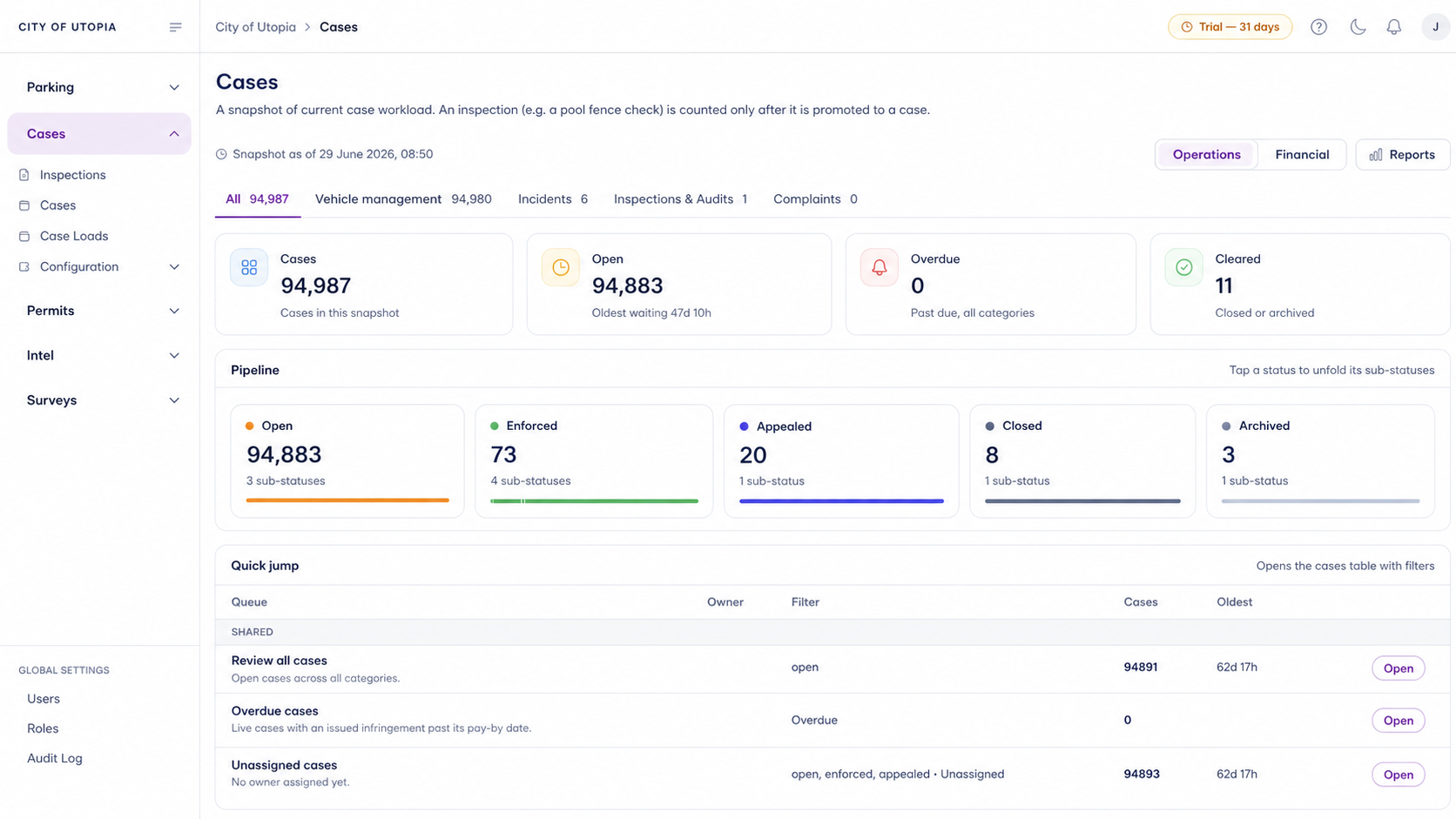
Aero Ranger helps operations leaders understand staff activity, workload, coverage, inspections, cases and outputs from the same field and back-office records teams already use.
30 days risk free. Start with one workflow and a clear success criterion.
The operating problem
Compliance managers often need to explain workload, coverage, inspection activity, case movement and enforcement outcomes without relying on manual notes or disconnected spreadsheets.

The source workflow
Staff reporting should come from operational activity, not a spreadsheet rebuilt at the end of the week. The workflow needs to connect roster context, patrol coverage, inspections, cases, notes and outcomes.
Confirm team, shift, patrol area, officer, vehicle, device, leave or outage context and the measures managers actually need.
Bring scans, inspections, cases, warnings, notices, service requests, survey counts and field notes into one review view.
Let managers add context, flag exceptions, export summaries and compare workload, coverage and outcomes over time.
Officer, team, roster period, patrol area, device, vehicle, active hours and assigned work.
Scans, inspections, cases, warnings, notices, service requests, survey counts and field notes.
Zone, ward, route, hotspot, inspection type, queue status and open versus closed work.
The reviewable record
Staff reporting works best when field activity, case activity and survey outputs are connected before managers need a weekly or monthly report.
A focused first test
Bring the reports you currently build by hand and we will map the source activity, case workload, exports and dashboard view.
Review officer activity, active days, workload, inspections, case ownership and field outputs.
Show open work, status movement, overdue matters, queues, owners and closure outcomes.
Use survey records, occupancy checks, replay and generated reports to explain field observations.
30 days risk free. Start with one workflow and a clear success criterion.
Related operating considerations
Use staff and survey activity to understand how zones are used and where coverage changes are needed.
Compare enforcement activity by time of day, day of week and seasonal demand.
Connect team effort, coverage, infringements, value and compliance outcomes.
Review field fleet coverage, vehicle activity and operational movement patterns.
The field app / iPhone and Android
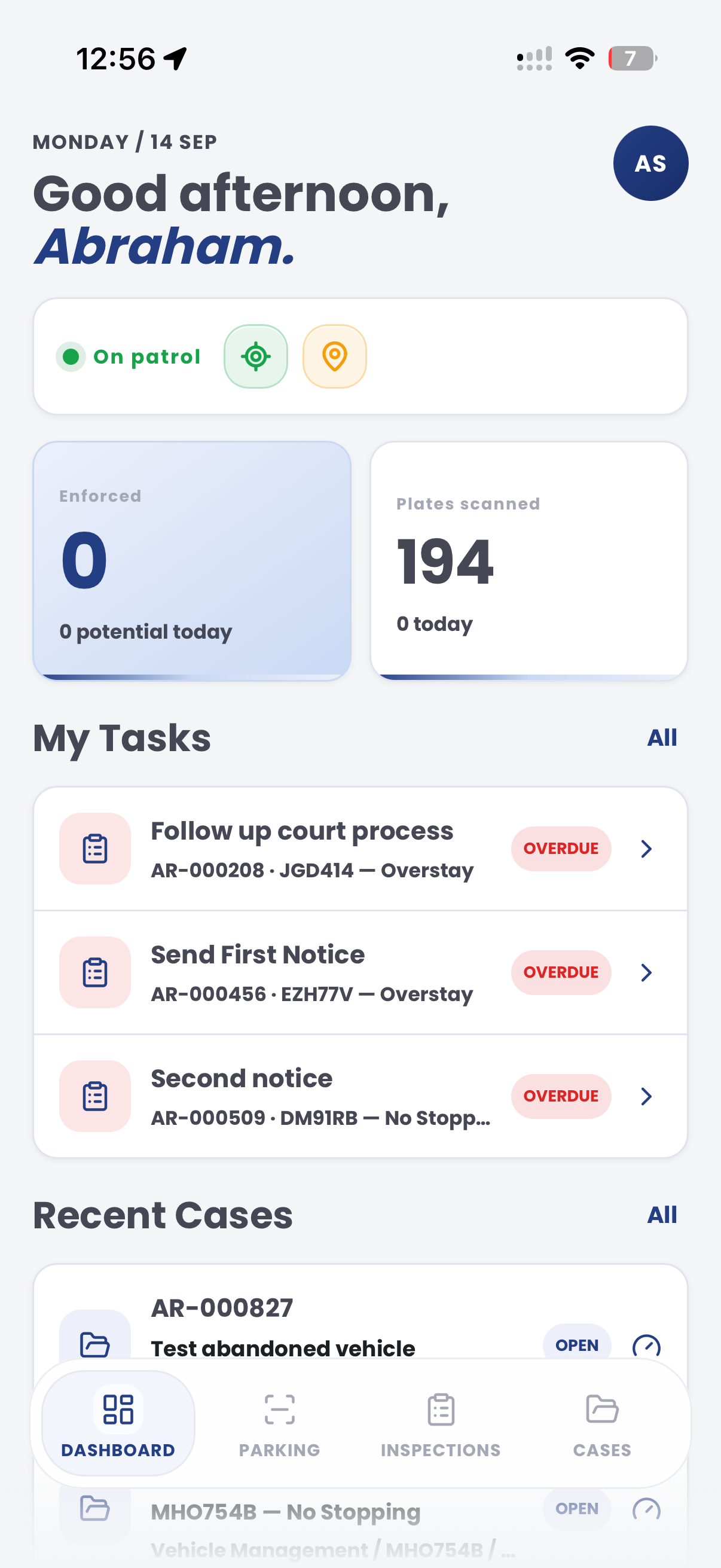
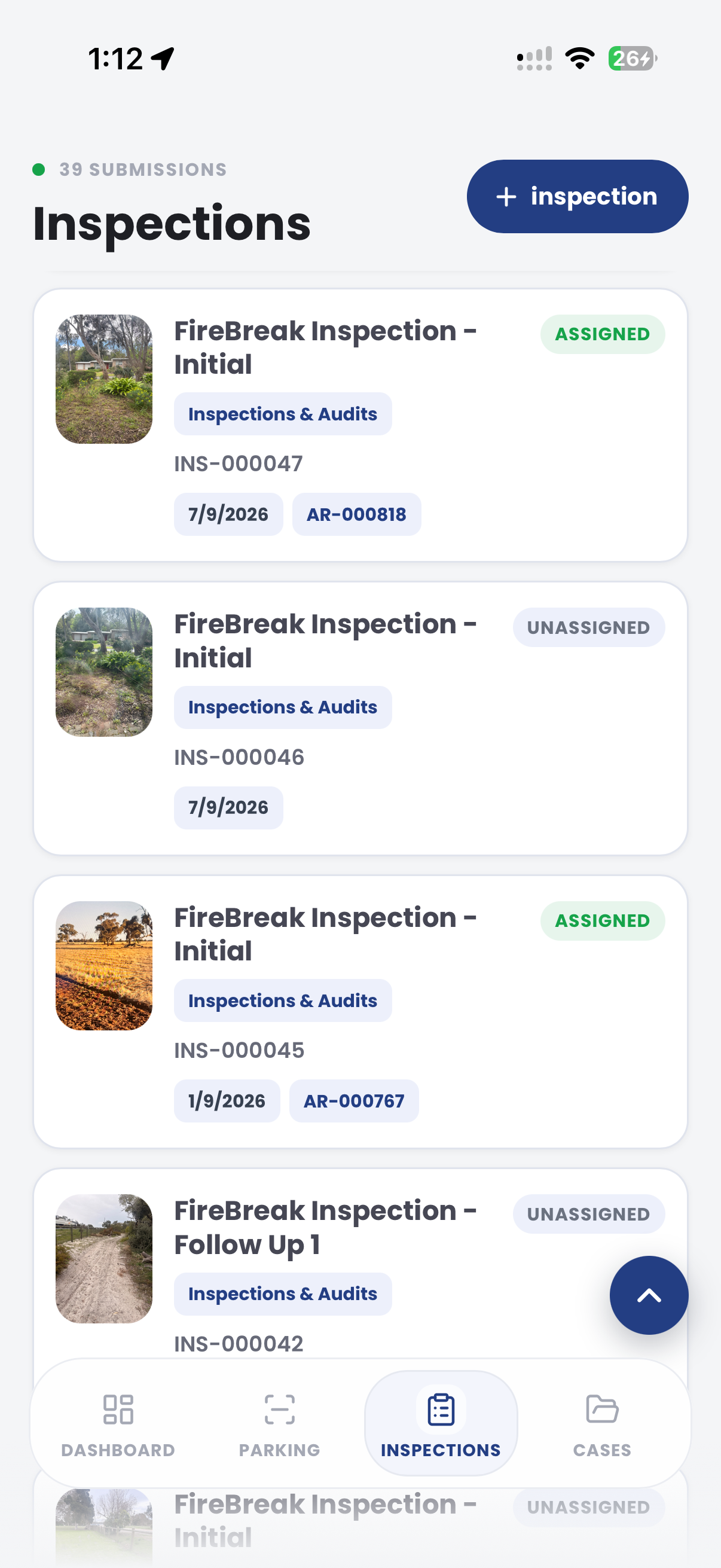
Give officers tasks, cases and inspection records in one mobile workspace. Bring the field record into CORE for supervisor review and operational reporting.
Customer field stories
Seven short case studies covering parking, patrol, evidence and compliance workflows in real operating environments.
A council team discusses field capture, review and day-to-day parking operations.
Full product walkthrough
Watch the full CORE walkthrough for a closer look at connected field work, evidence, cases, permits and reporting.
Use a free 1:1 strategy session to outline the current process, name a practical success criterion and decide whether to start a 30-day risk-free trial.
Free from Aero Ranger
No login required. Aero NoticeFlow turns spreadsheet rows and your approved notice PDF into individual notices you can review and download in your browser.

