Illegal firewood collection
Aero Ranger helps authorised teams keep field reports, photographs, mapped locations, vehicles, inspections, referrals and follow-up actions together while suspected firewood removal is reviewed.
30 days risk free. Start with one workflow and a clear success criterion.
The operating problem
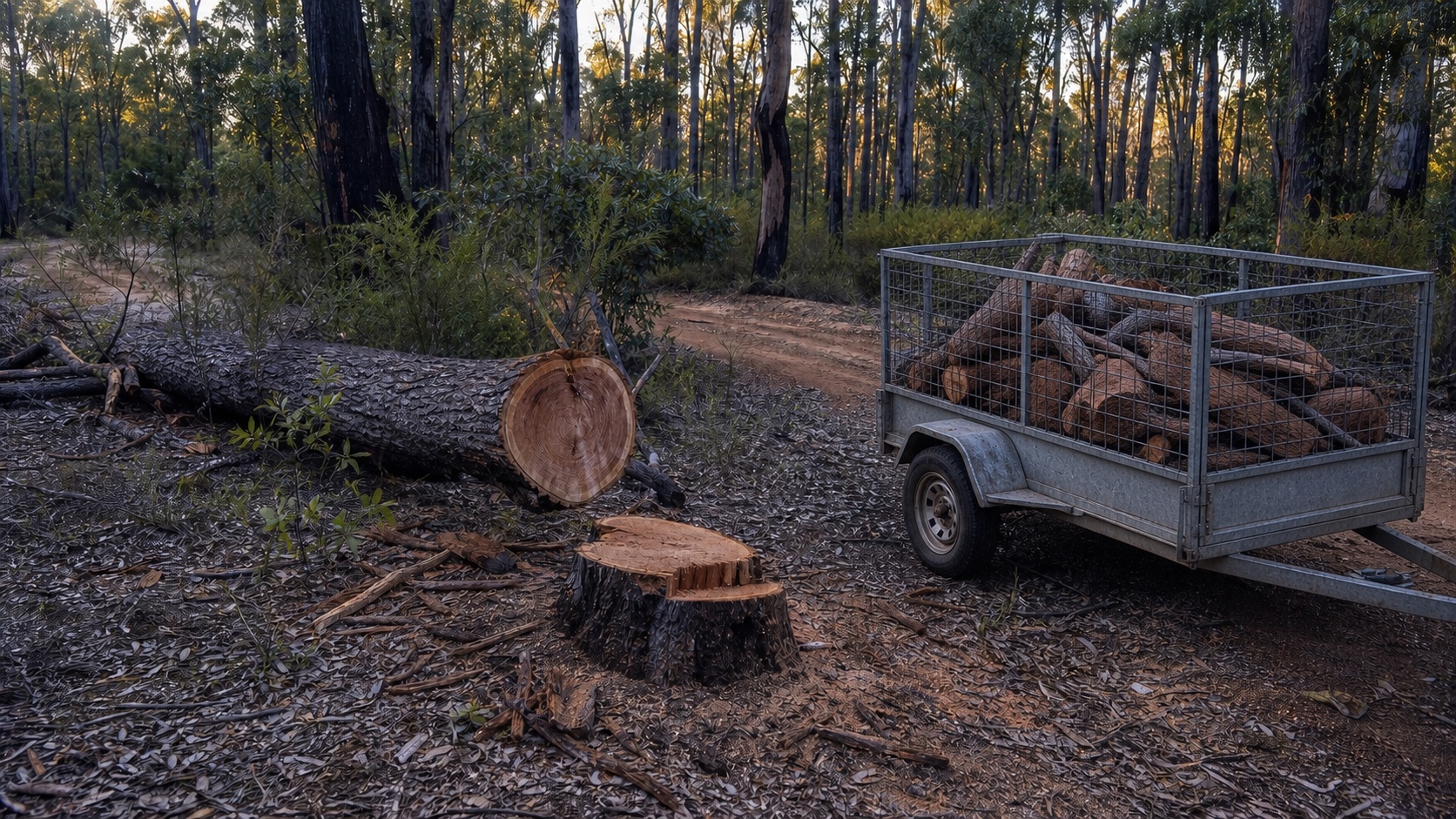
A felled tree, trailer of split wood or public report is a starting point, not proof of an offence. Teams need a reliable record of the stump, timber, location, vehicle and reserve context before an authorised officer decides the next step.
The source workflow
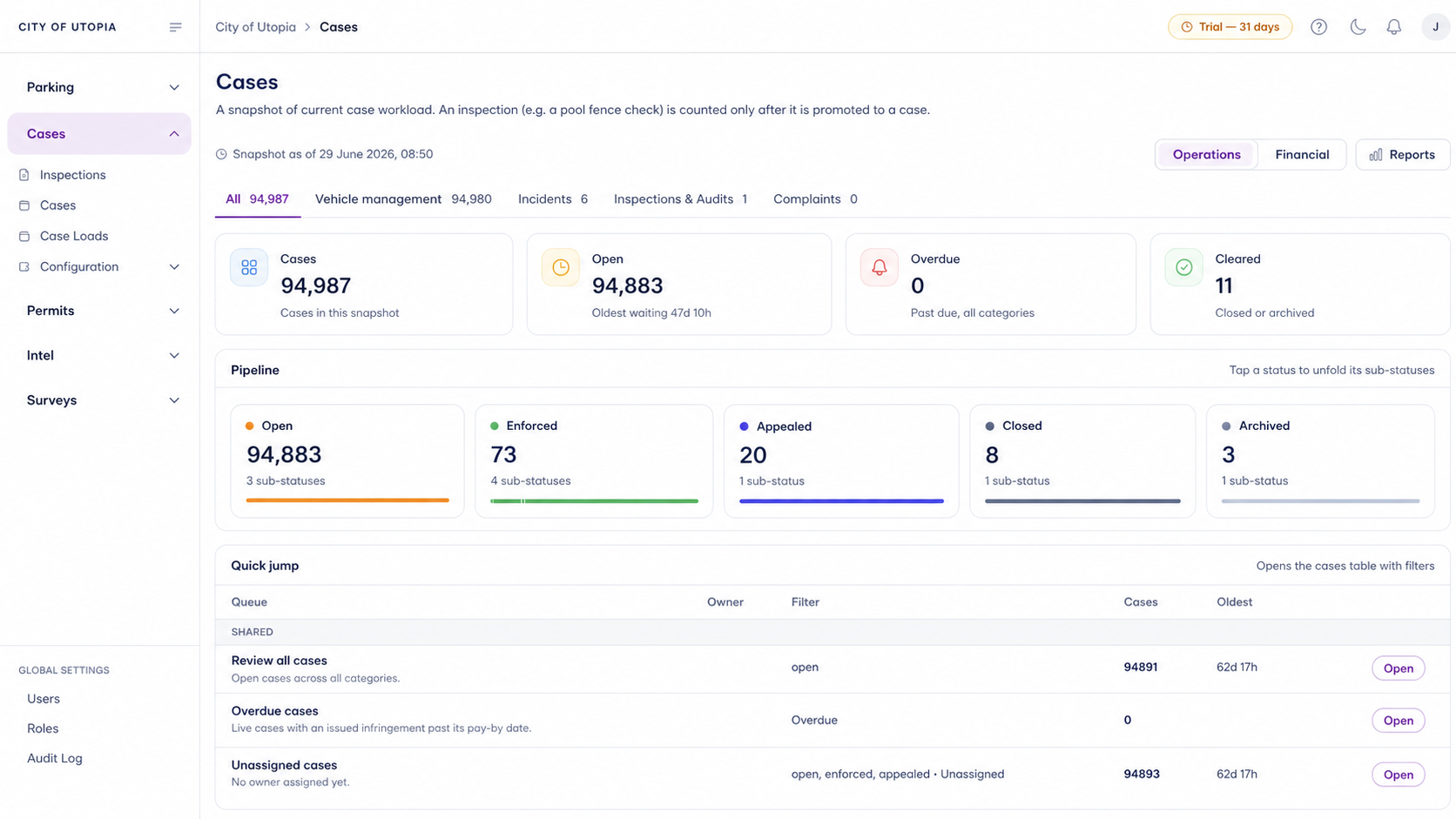
In CORE, this challenge works best as a repeatable compliance workflow that keeps field activity, evidence, review decisions, tasks and reporting tied to one operational record.
Capture the subject, location, rule context, category, priority and responsible team before follow-up begins.
Keep photos, notes, timestamps, vehicle reads, inspections and documents attached to the same record.
Track due dates, inspections, notices, approvals, referrals, closures and escalation decisions.
Record who did what, when, why and what outcome followed so managers can review the workflow later.
The key CORE advantage is that field work, review and reporting stay connected instead of being rebuilt from separate notes, exports and spreadsheets.
Timber, machinery and vehicles may leave before separate photographs and notes can be assembled into a usable record.
The reviewable record
A repeatable process helps teams preserve evidence while applying the legislation, delegation and operating policy relevant to their jurisdiction.
A focused first test
Bring an example workflow and we will show how observations, permit context, inspections, referrals, remediation and human decisions can remain connected.
Capture the site, affected vegetation, access route, nearby boundaries, machinery and observations in a consistent inspection record.
Link the matter to the relevant property, reserve, permit, approval, exemption or responsible organisation.
Assign inspections, information requests, agency referrals, remediation checks and management review without losing the original evidence.
30 days risk free. Start with one workflow and a clear success criterion.
Related operating considerations
Connect approved works and permit conditions to later inspections.
Manage environmental evidence, subjects, clean-up work and referrals.
Record damage to public land, assets, tracks and vegetation.
Review works undertaken without the required approval or outside approved conditions.
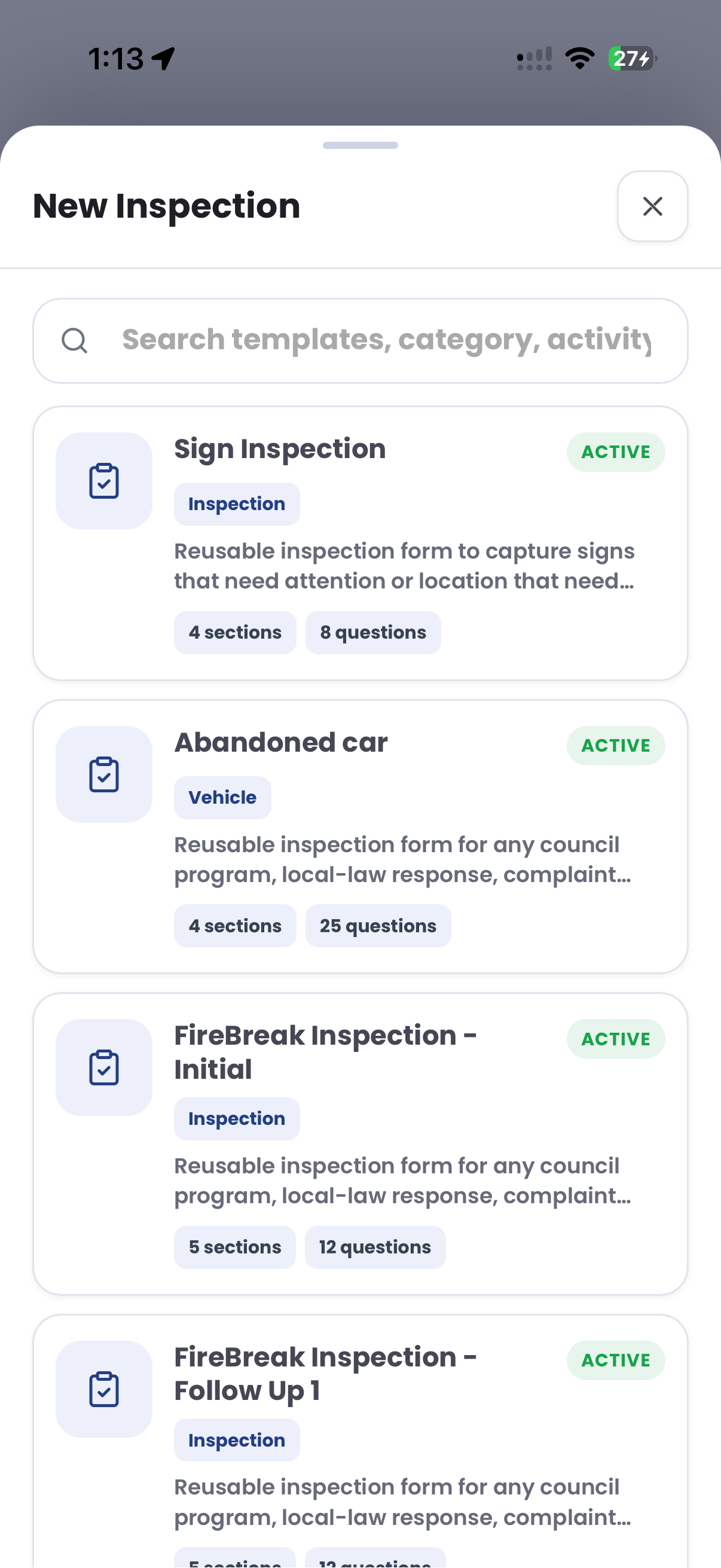
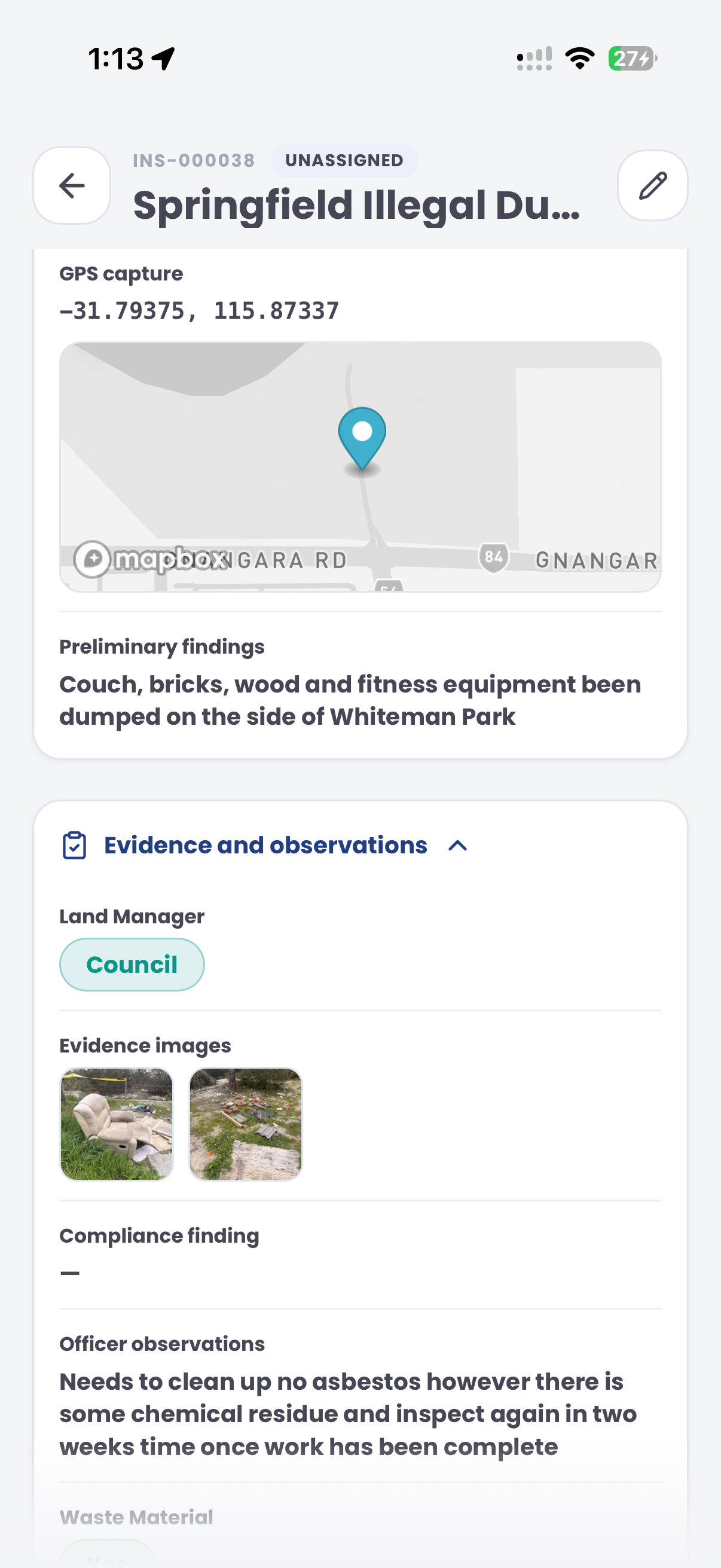
The field app / iPhone and Android
Record observed site conditions, photos and location using an inspection template. Keep the field record available for authorised review and follow-up.
Customer field stories
Seven short case studies covering parking, patrol, evidence and compliance workflows in real operating environments.
A council team discusses field capture, review and day-to-day parking operations.
Full product walkthrough
Watch the full CORE walkthrough for a closer look at connected field work, evidence, cases, permits and reporting.
Use a free 1:1 strategy session to outline the current process, name a practical success criterion and decide whether to start a 30-day risk-free trial.
Free from Aero Ranger
No login required. Aero NoticeFlow turns spreadsheet rows and your approved notice PDF into individual notices you can review and download in your browser.

