Abandoned vehicle casework
Aero Ranger helps councils detect vehicles that may not have moved, document duration with ANPR and GPS evidence, open vehicle-management cases, render notices and track follow-up through to removal or closure.
30 days risk free. Start with one workflow and a clear success criterion.
The operating problem
Abandoned vehicle enforcement often depends on multiple visits, owner lookups, notices and towing follow-up. The workflow needs to document the observation clearly: the vehicle appears not to have moved.

The source workflow
Abandoned vehicle work usually starts with a resident report or patrol sighting. The practical question is whether the vehicle is simply parked, unattended, unregistered, hazardous or ready for a formal notice and removal pathway.
Record the plate, make, colour, condition, location context, road safety risk and whether the vehicle is registered or likely to be stolen or of interest to police.
Place or send the required notice, record notice photos, track expiry and schedule a reinspection to confirm whether the vehicle moved or was claimed.
Escalate hazardous or expired matters for approval, assign tow or impound work, record release or disposal, and keep the full decision trail for later review.
Rego, make, orientation, colour, VIN if visible, registration status and any risk or hazard indicators.
GPS pin, street address, asset, zone, ward, first observed position and whether the vehicle moved between checks.
Photos, officer notes, timestamps, notice photos, inspection outcomes and registration or owner-check results.
The reviewable record
Abandoned vehicle compliance needs first sighting, location, vehicle identity, repeat observations, inspection outcome and notice status connected in one case.
A focused first test
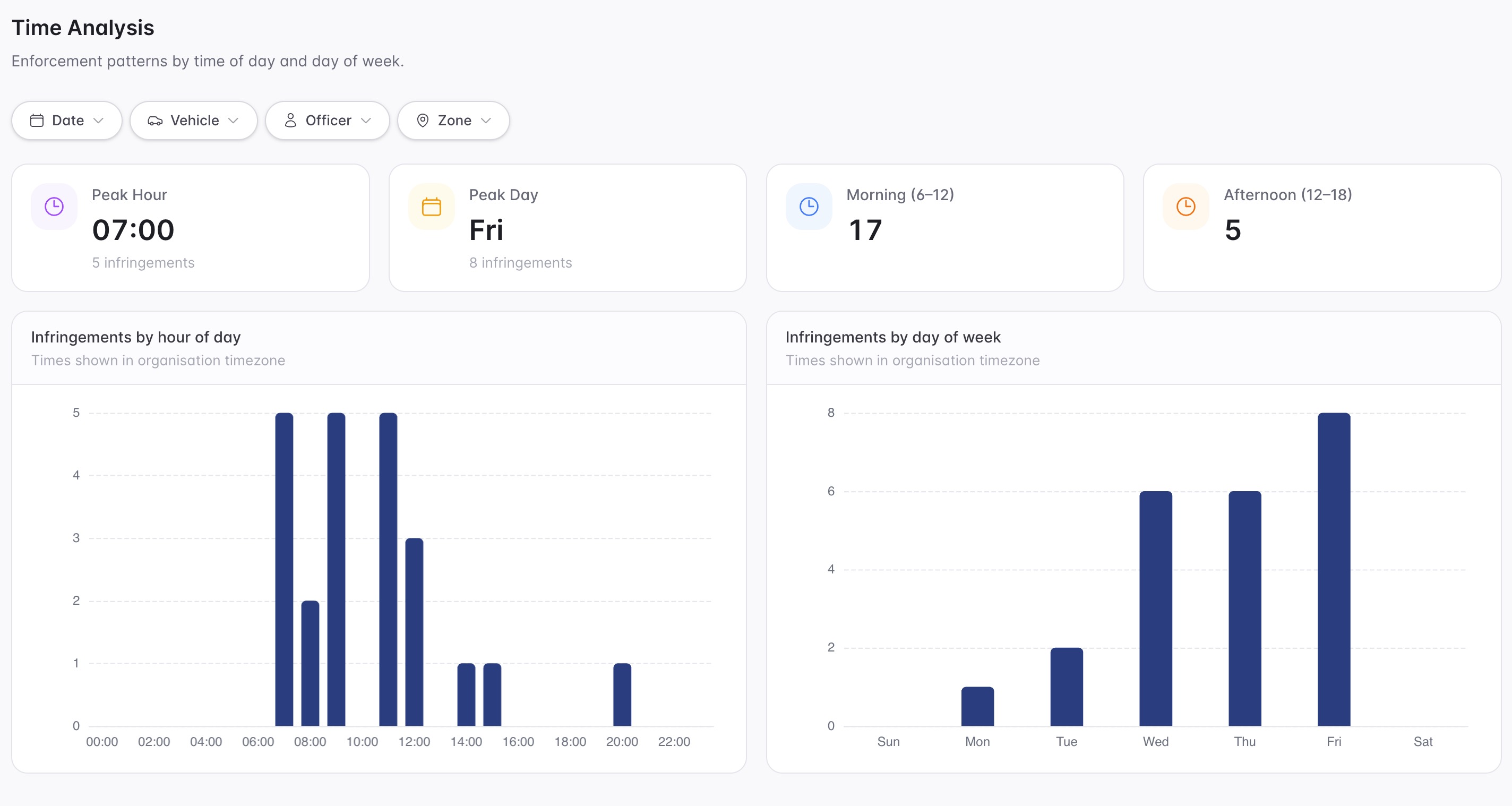
Bring a real patrol route and we will show dwell alerts, vehicle-management case flows, rendered notices and reporting.
Create abandoned vehicle rules that flag vehicles exceeding configured thresholds in selected zones.
Open each vehicle into a repeatable flow from initial inspection through monitoring, notice, enforcement and closure.
Use timestamped, GPS-linked sightings and images to support review of whether the vehicle has moved.
30 days risk free. Start with one workflow and a clear success criterion.
Related operating considerations
Use shorter dwell thresholds and restricted zones for overnight stay compliance.
Pair vehicle activity with incident evidence around repeat dumping locations.
Extend ANPR capture into everyday parking compliance and permit checks.
Use case flow templates for other public land, street trading, signs and nuisance matters.
The field app / iPhone and Android
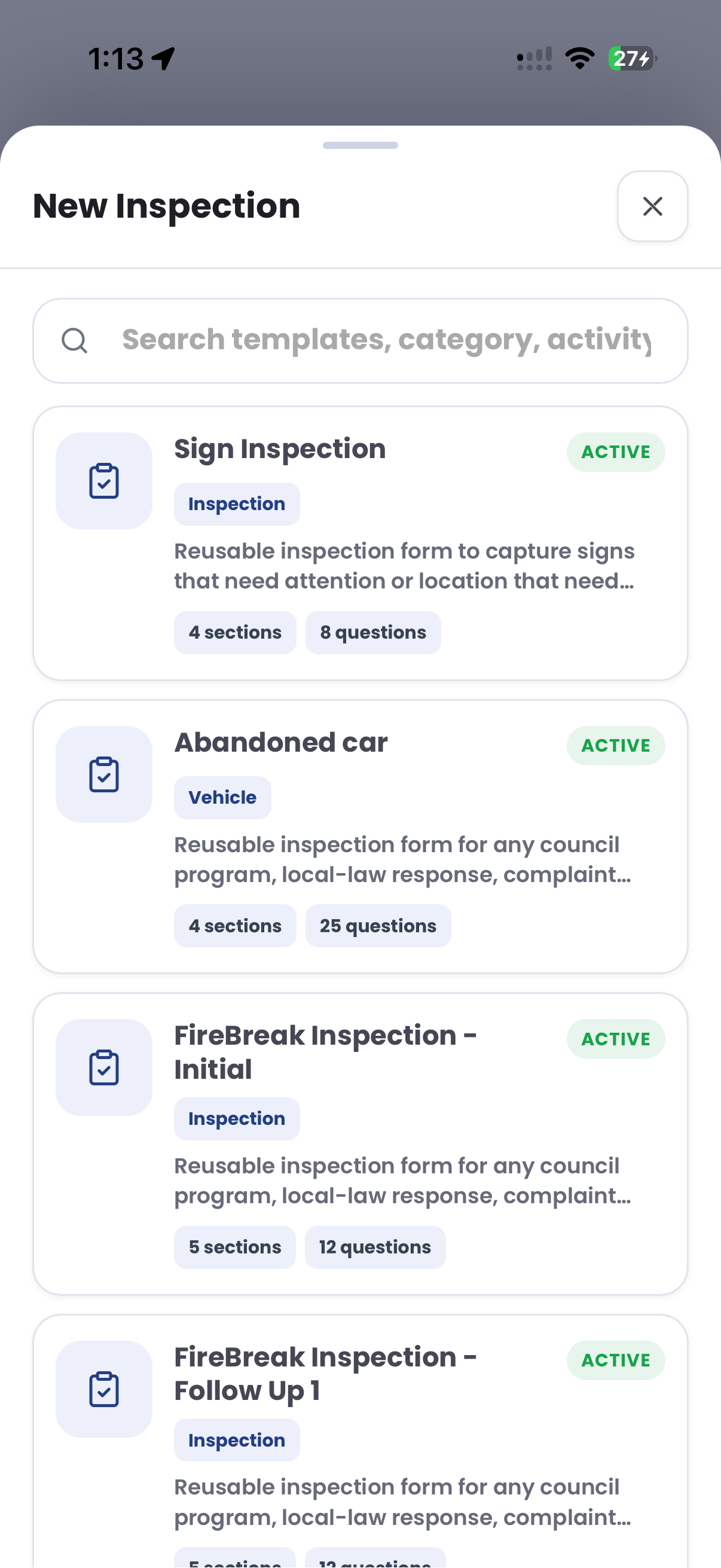
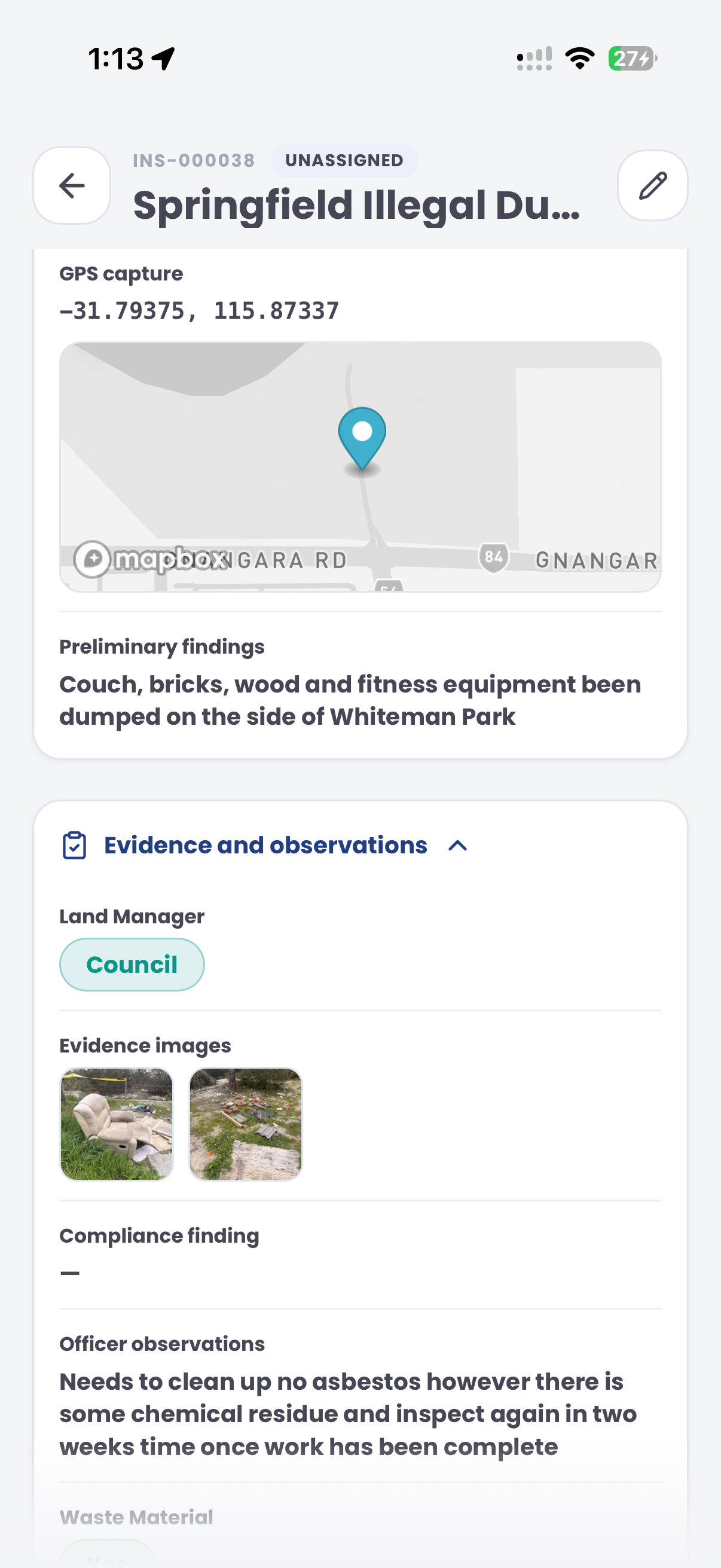
Record vehicle condition, location and inspection photos on site. Keep initial observations and rechecks together for the team managing the matter.
Customer field stories
Seven short case studies covering parking, patrol, evidence and compliance workflows in real operating environments.
A council team discusses field capture, review and day-to-day parking operations.
Full product walkthrough
Watch the full CORE walkthrough for a closer look at connected field work, evidence, cases, permits and reporting.
Use a free 1:1 strategy session to outline the current process, name a practical success criterion and decide whether to start a 30-day risk-free trial.
Free from Aero Ranger
No login required. Aero NoticeFlow turns spreadsheet rows and your approved notice PDF into individual notices you can review and download in your browser.

