Heavy vehicle compliance
Aero Ranger helps teams review heavy and commercial vehicle parking restrictions by combining vehicle-type context, restricted zones, schedules, evidence, inspections, cases and reporting.
30 days risk free. Start with one workflow and a clear success criterion.
The operating problem
Commercial and heavy vehicle restrictions can depend on road type, vehicle class, time windows, permits and exemptions. Evidence needs to show the configured rule and the observed vehicle.

The source workflow
Heavy vehicle restriction work is about route, weight, time and local access context. Council needs to separate legitimate access from recurring residential street or infrastructure pressure.
Record the street, bridge, residential area, school area, time window, weight or vehicle class rule and any permit or delivery allowance.
Attach plate, photos, vehicle type, direction, repeat sightings, operator context and officer notes about loading, works or access.
Warn, contact operator, issue, refer, close as authorised, and report repeat routes where engineering or signage review may be needed.
Rego, vehicle class, trailer configuration, commercial indicators, company markings and repeat sighting history.
Residential street, bridge, weight limit, night restriction, school area, permit zone and active time window.
ANPR read, photos, GPS location, officer notes, schedule match and any permit lookup result.
The reviewable record
A restriction review needs vehicle type, zone, time window, evidence, permit or exemption context and follow-up status connected.
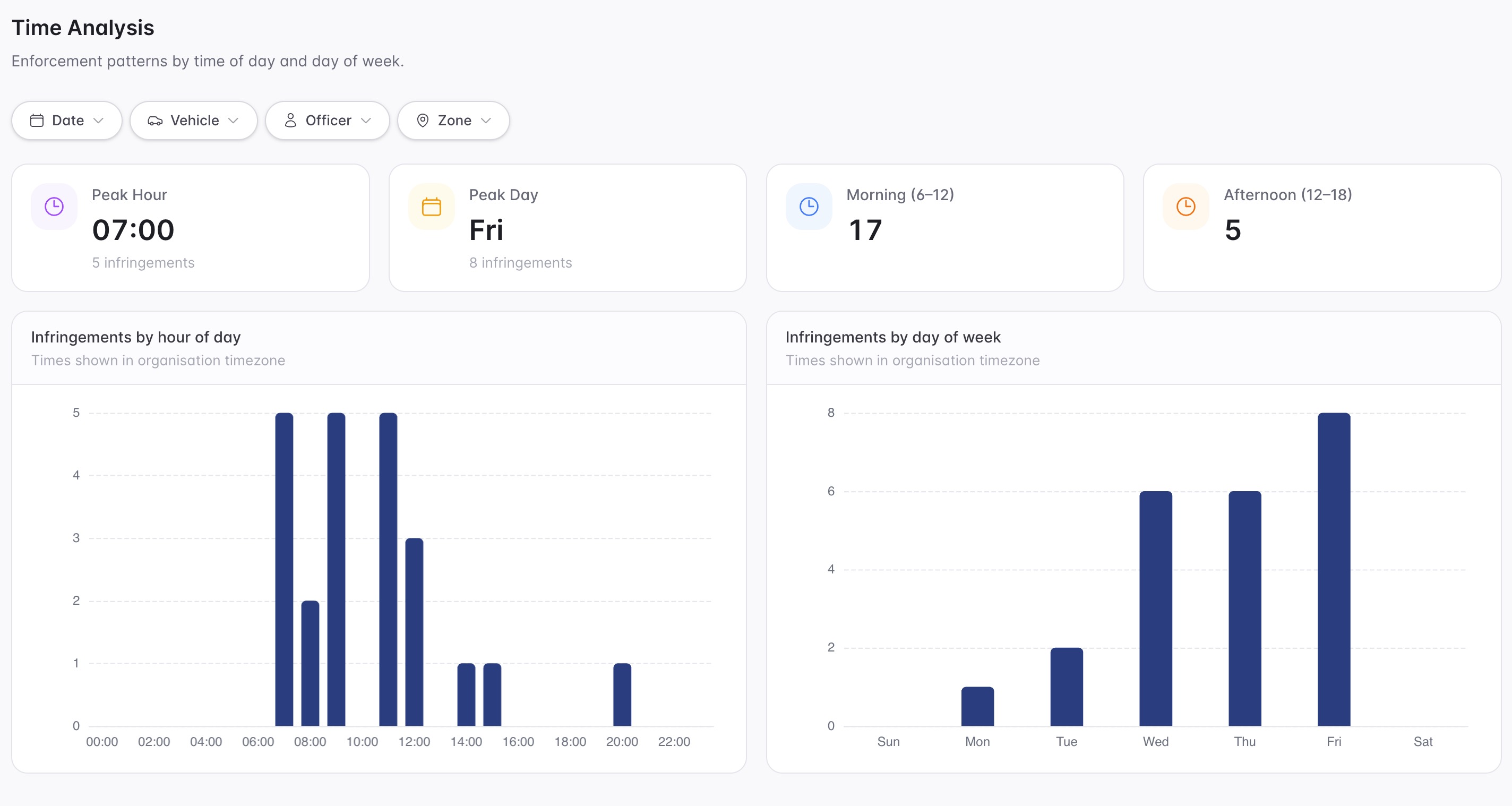
A focused first test
Bring a complaint street or truck restriction area and we will map detection, evidence, permits and case follow-up.
Configure vehicle-type restrictions inside zone profiles.
Set confidence thresholds so vehicle type checks fit council tolerance.
Recognise authorised access, works vehicles or approved commercial records.
30 days risk free. Start with one workflow and a clear success criterion.
Related operating considerations
Use vehicle type and kerbside timing to manage commercial access pressure.
Check authorised contractor or service vehicle access before action.
Control heavy vehicle access around temporary event routes and precincts.
Track repeat complaints, inspections, notices and closure outcomes.
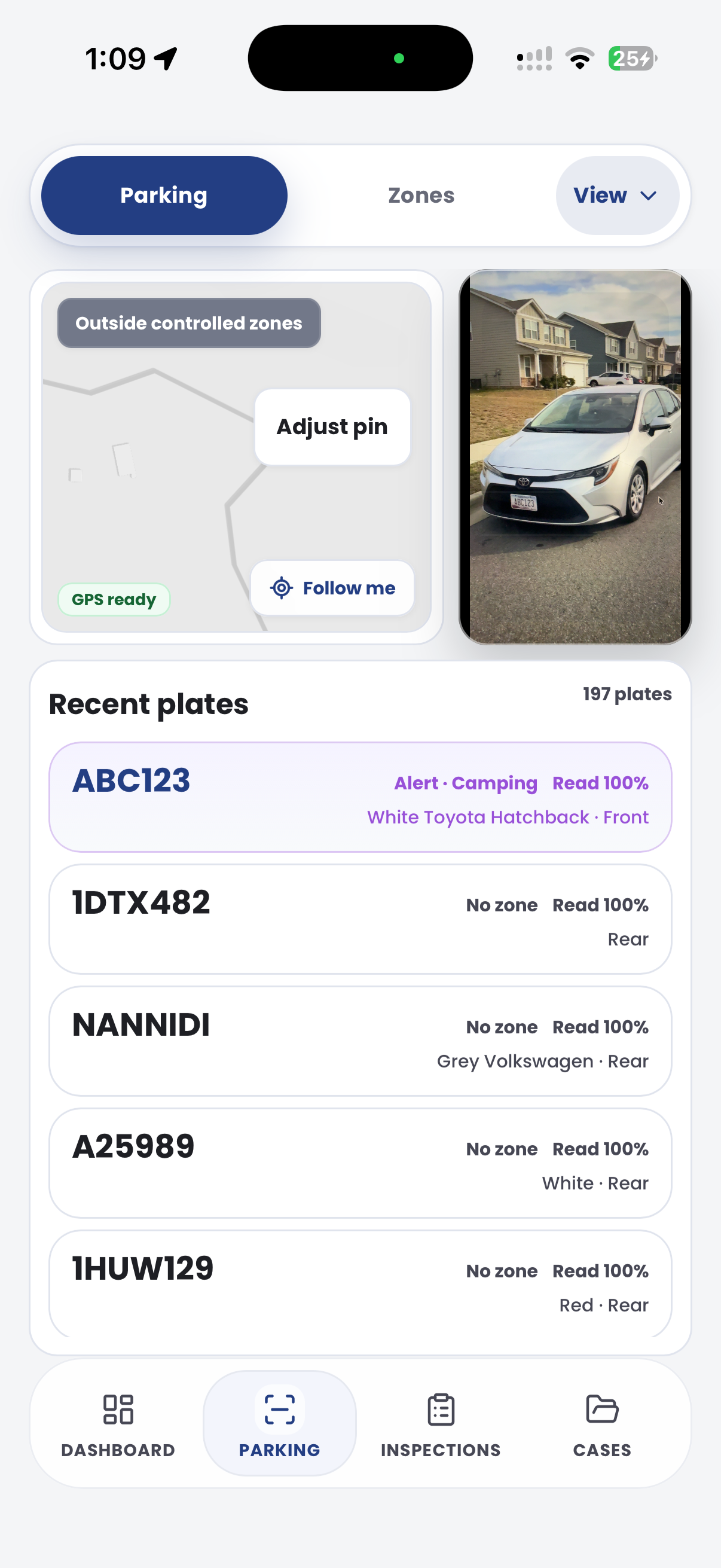
The field app / iPhone and Android
Capture the vehicle, location and relevant site context. Keep field observations available to the team reviewing access restrictions and exceptions.

Customer field stories
Seven short case studies covering parking, patrol, evidence and compliance workflows in real operating environments.
A council team discusses field capture, review and day-to-day parking operations.
Full product walkthrough
Watch the full CORE walkthrough for a closer look at connected field work, evidence, cases, permits and reporting.
Use a free 1:1 strategy session to outline the current process, name a practical success criterion and decide whether to start a 30-day risk-free trial.
Free from Aero Ranger
No login required. Aero NoticeFlow turns spreadsheet rows and your approved notice PDF into individual notices you can review and download in your browser.

