Parking operations
Aero Ranger helps teams review accessible parking bay misuse by combining zone rules, permit and exemption context, field evidence, inspections, offence mapping and case follow-up.
30 days risk free. Start with one workflow and a clear success criterion.
The operating problem
Accessible parking matters are sensitive and need a careful record of the bay, permit context, observed conditions, photos, notes and review outcome.

The source workflow
Accessible bay enforcement needs careful evidence and exception review. The workflow should confirm the bay, permit context, vehicle position and officer reasoning before action is taken.
Record the accessible bay, signage, active rule, visible permit information, expiry where available and any uncertainty about display or authorisation.
Attach photos, timestamps, plate read, officer notes and review comments while avoiding unnecessary collection beyond the parking decision.
Issue, close, warn or review an appeal, then report repeated misuse at medical, civic, school or town-centre locations.
Rego, bay identifier, accessible bay zone, observation time, visible permit context and vehicle position.
Accessible parking permit, exemption record, permit visibility, expiry where available and manual review notes.
Photos, plate read, bay location, officer notes, timestamp and any close-up permit evidence captured lawfully.
The reviewable record
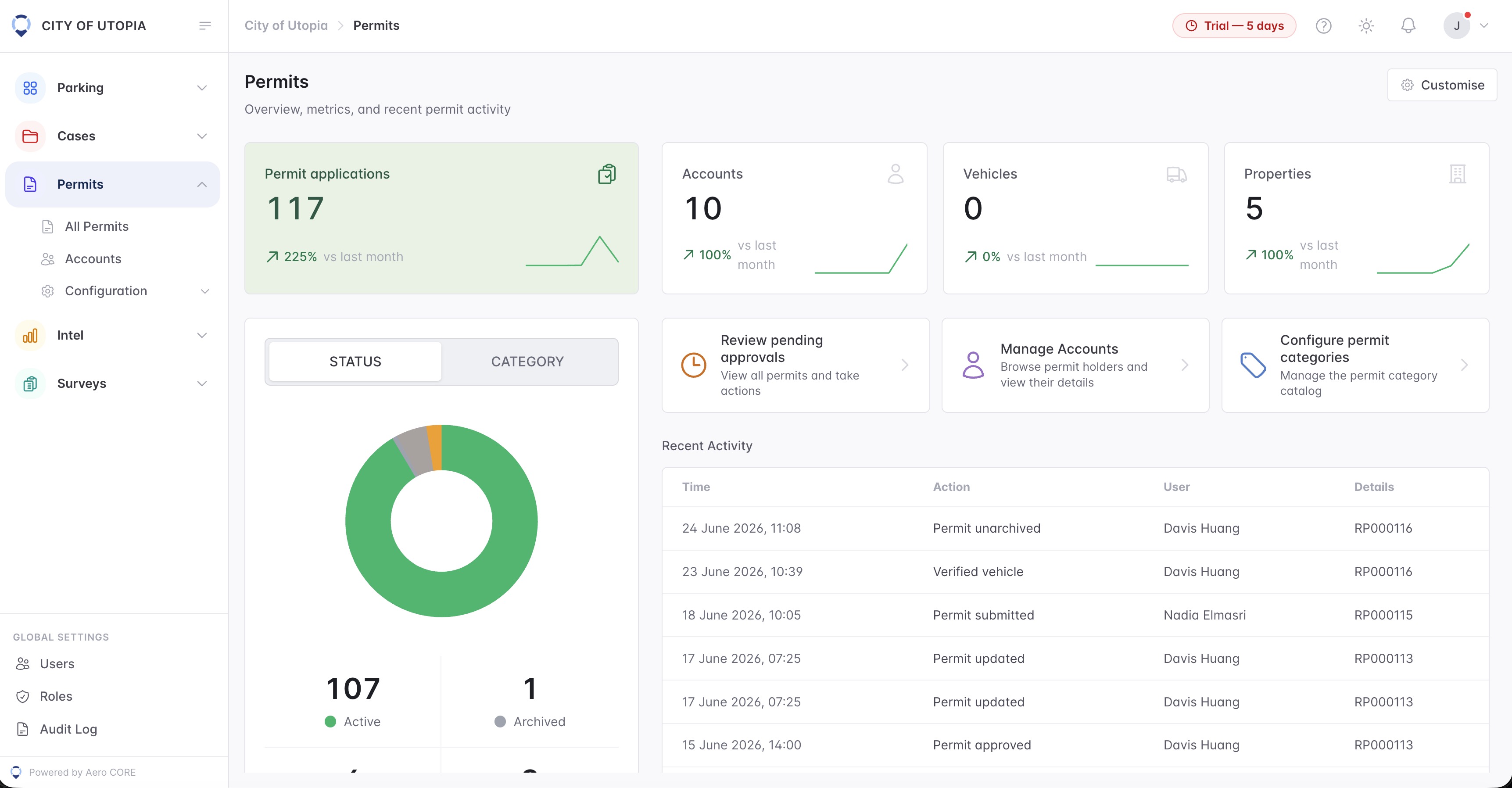
A respectful review needs bay context, permit or exemption status, officer observations, evidence images and a clear decision trail.
A focused first test
Teams can configure accessible bay zones, permit modes and inspection templates, then run every matter through a consistent review pathway.
Configure controlled areas and bay-specific rules for review.
Use permit categories and enforcement modes to recognise authorised vehicles.
Capture the observations needed for careful review.
30 days risk free. Start with one workflow and a clear success criterion.
Related operating considerations
Use permit categories, exemptions and zone scope before action.
Apply careful evidence standards to sensitive parking environments.
Plan temporary accessible parking controls for major events.
Preserve notes, evidence, statuses and appeal history in one place.
The field app / iPhone and Android
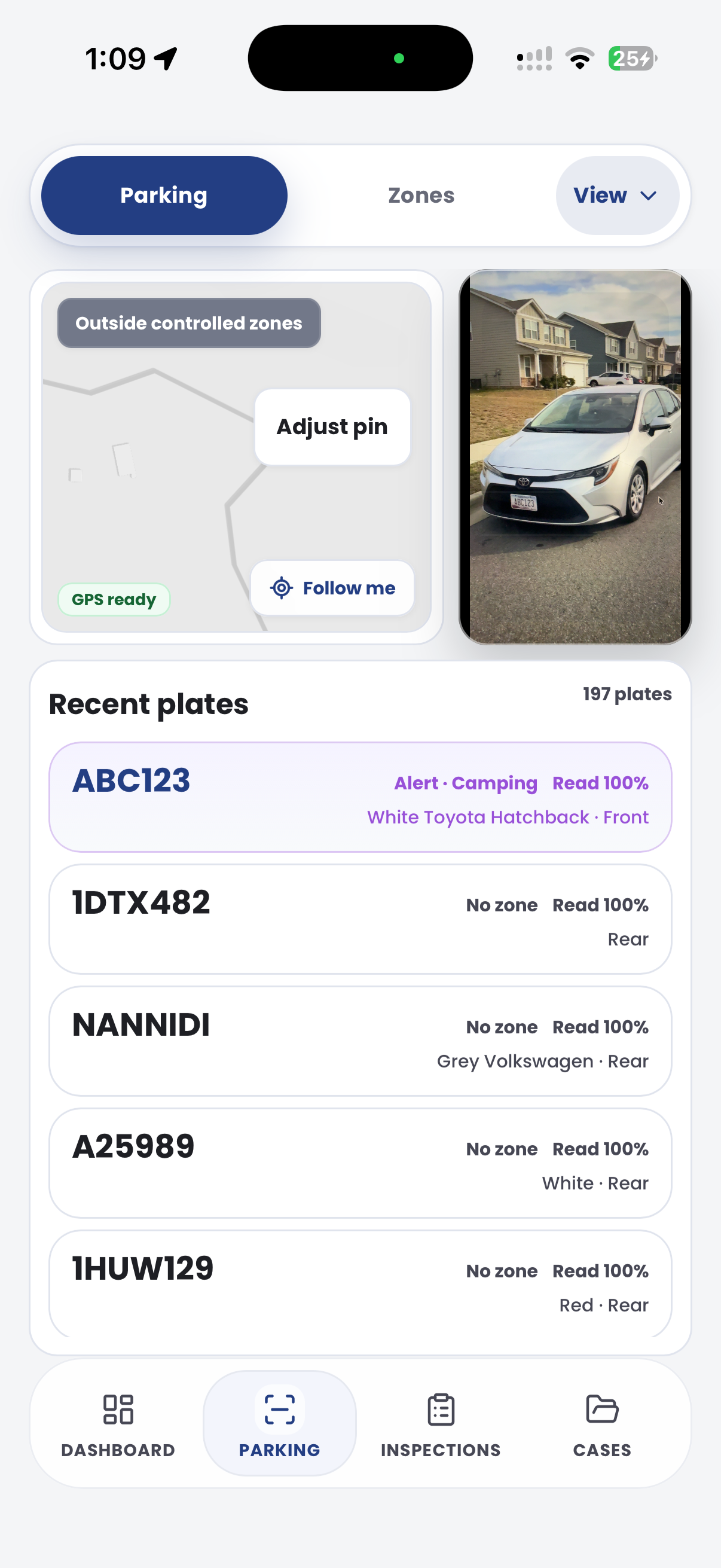
Document the bay, signage and vehicle context on site. Keep photos and officer observations together for a considered review before action.

Customer field stories
Seven short case studies covering parking, patrol, evidence and compliance workflows in real operating environments.
A council team discusses field capture, review and day-to-day parking operations.
Full product walkthrough
Watch the full CORE walkthrough for a closer look at connected field work, evidence, cases, permits and reporting.
Use a free 1:1 strategy session to outline the current process, name a practical success criterion and decide whether to start a 30-day risk-free trial.
Free from Aero Ranger
No login required. Aero NoticeFlow turns spreadsheet rows and your approved notice PDF into individual notices you can review and download in your browser.

