Animal management casework
Aero Ranger helps councils manage animal registration gaps, nuisance complaints, wandering animals, dangerous dog incidents, inspections, evidence and follow-up in one audit-ready compliance workflow.
30 days risk free. Start with one workflow and a clear success criterion.
The operating problem
Unregistered animals, expired registrations, nuisance complaints, wandering animals and dangerous dog incidents create revenue, safety and audit risk when the process is paper-based or fragmented.

The source workflow
Animal compliance often begins as a customer complaint but becomes a structured investigation. Council staff need to confirm the animal, owner, risk, registration status, evidence and next contact point before deciding on action.
Separate nuisance, wandering, attack, dangerous dog, registration, excess animal and prohibited-area issues so the right priority and evidence questions are used.
Check registration and history, interview witnesses or owners where needed, inspect the site or enclosure, record injuries or photos and note any ongoing public risk.
Issue directions, notices or registration requests, track representation or appeal periods, schedule reinspections and report repeat addresses or unresolved matters.
Animal type, name if known, registration status, microchip or tag details, owner contact and property context.
Nuisance, wandering, attack, dangerous dog, registration gap, noise issue or other local-law category.
Photos, officer notes, customer reports, inspection outcomes, body notes, timestamps and related case history.
The reviewable record
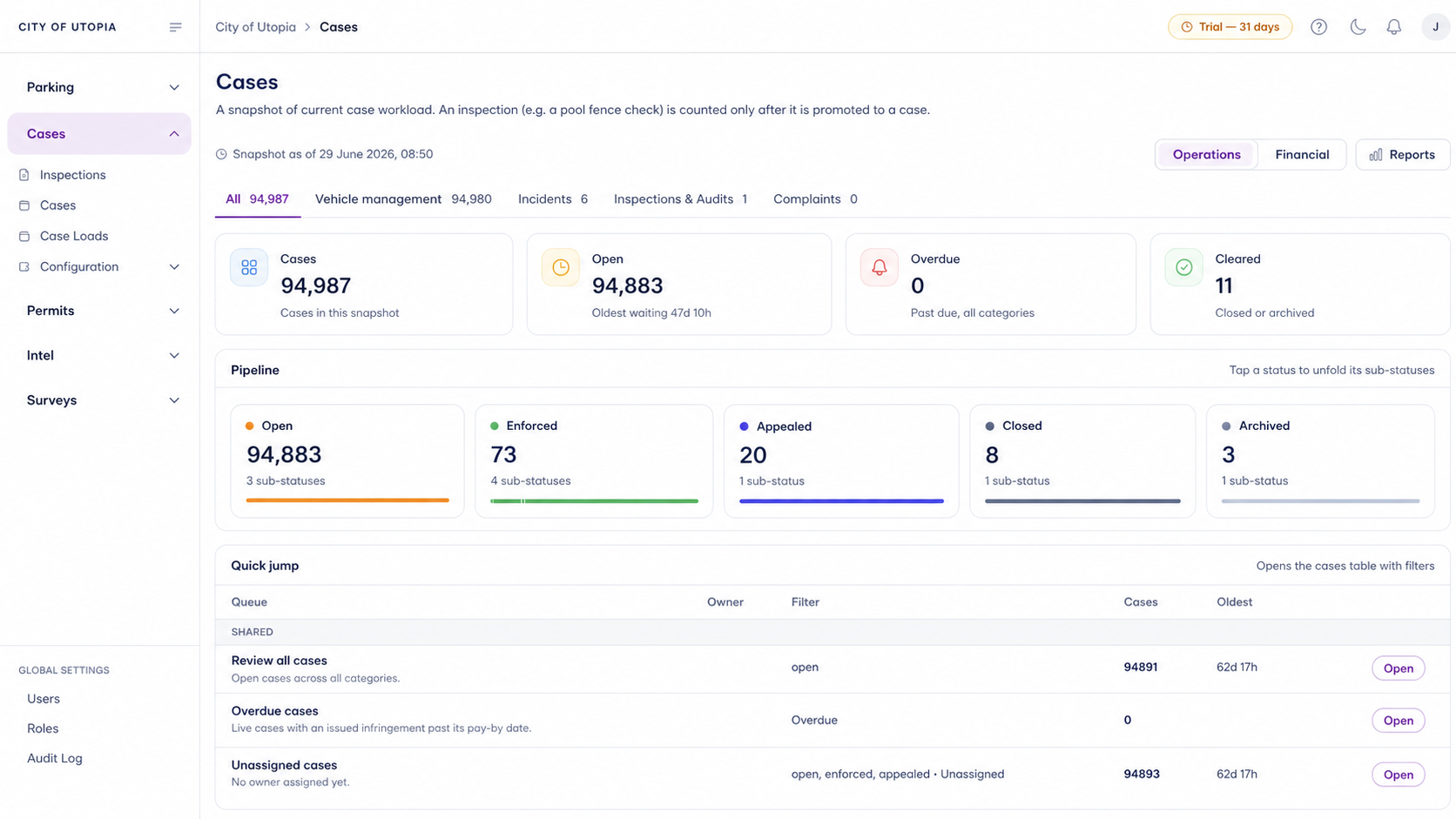
The useful question is not which feature exists. It is whether the team can see the place, rule, evidence, exception, next action and review history before making a decision.
A focused first test
Bring a real animal management scenario and we will walk from field capture to permit check, case flow, notice generation and reporting.
Define animal types, registration rules, restricted breeds, complaint categories and local-law settings.
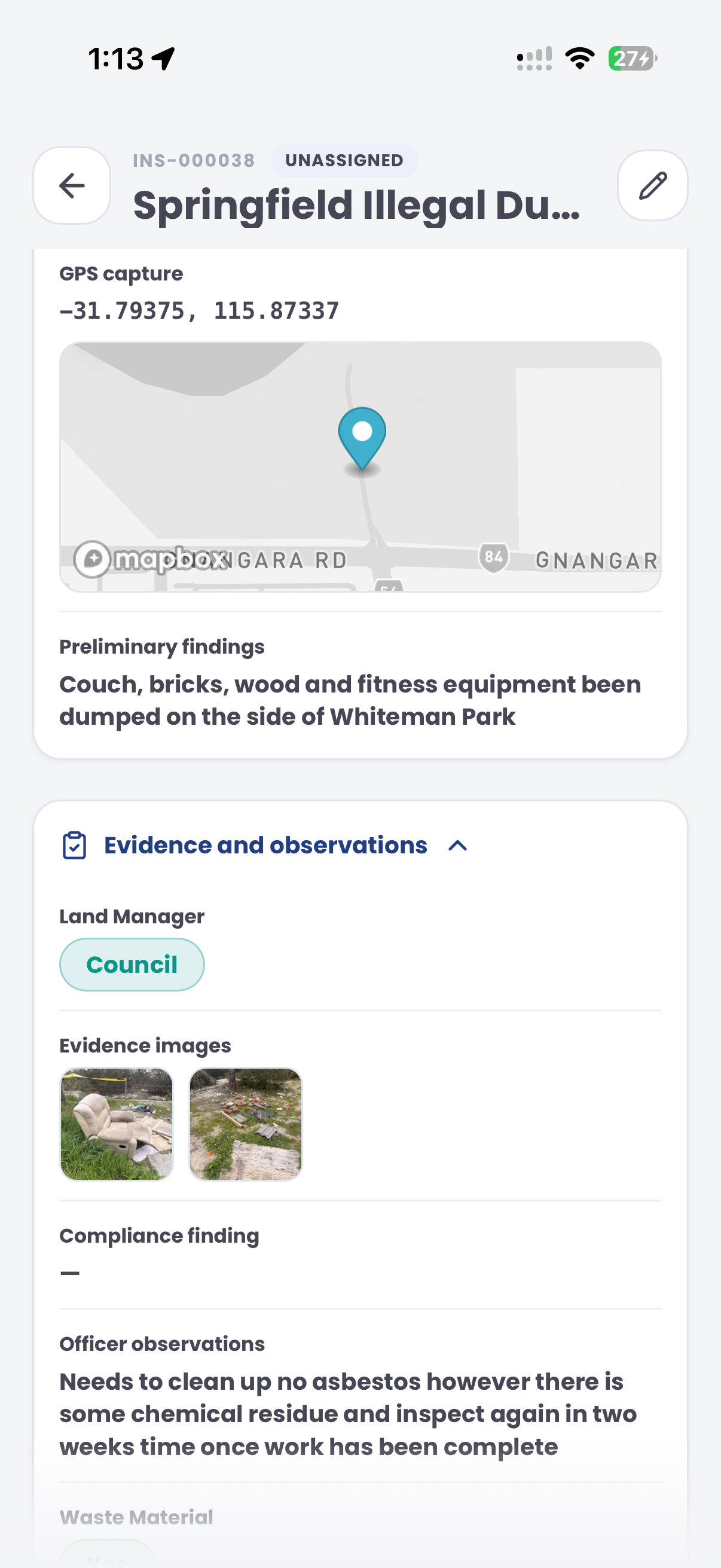
Record animal details, owner information, GPS, photos, videos, witness notes and officer findings.
Review permit status, expiry, property records, owner history and previous incidents.
30 days risk free. Start with one workflow and a clear success criterion.
Related operating considerations
Apply the same inspection and case-flow model to property audits and nuisance matters.
Manage non-vehicle permits, applications, evidence and renewal workflows.
Use structured field evidence and flexible subjects for waste incidents.
Track repeat complaints, evidence history, officer actions and outcomes.
The field app / iPhone and Android
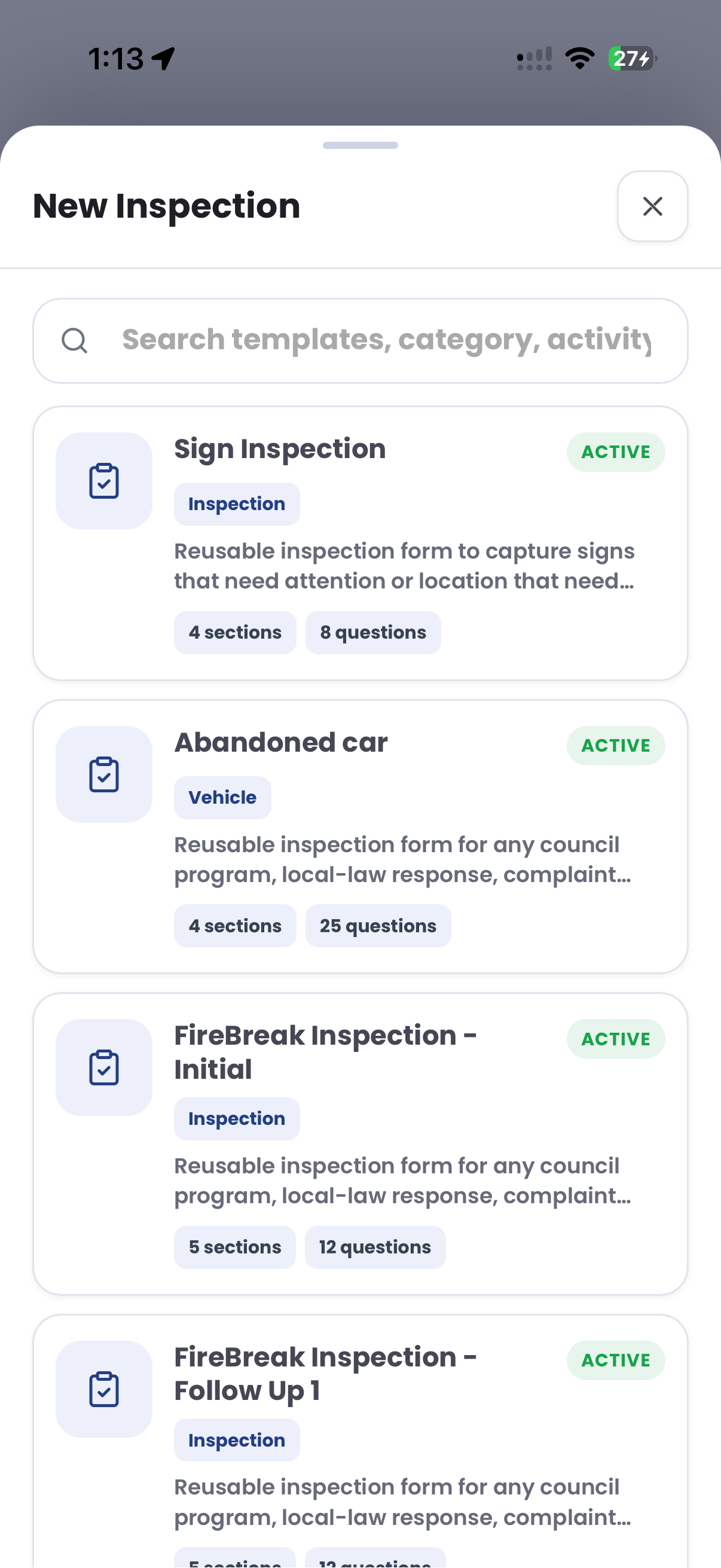
Use configurable inspection templates to record site observations, photos and follow-up needs. Keep field findings connected to the compliance matter in CORE.
Customer field stories
Seven short case studies covering parking, patrol, evidence and compliance workflows in real operating environments.
A council team discusses field capture, review and day-to-day parking operations.
Full product walkthrough
Watch the full CORE walkthrough for a closer look at connected field work, evidence, cases, permits and reporting.
Use a free 1:1 strategy session to outline the current process, name a practical success criterion and decide whether to start a 30-day risk-free trial.
Free from Aero Ranger
No login required. Aero NoticeFlow turns spreadsheet rows and your approved notice PDF into individual notices you can review and download in your browser.

