Welcome to CORE
Find your way around the dashboard, cases and main menu, and see how a shared record helps the next person pick up a job.
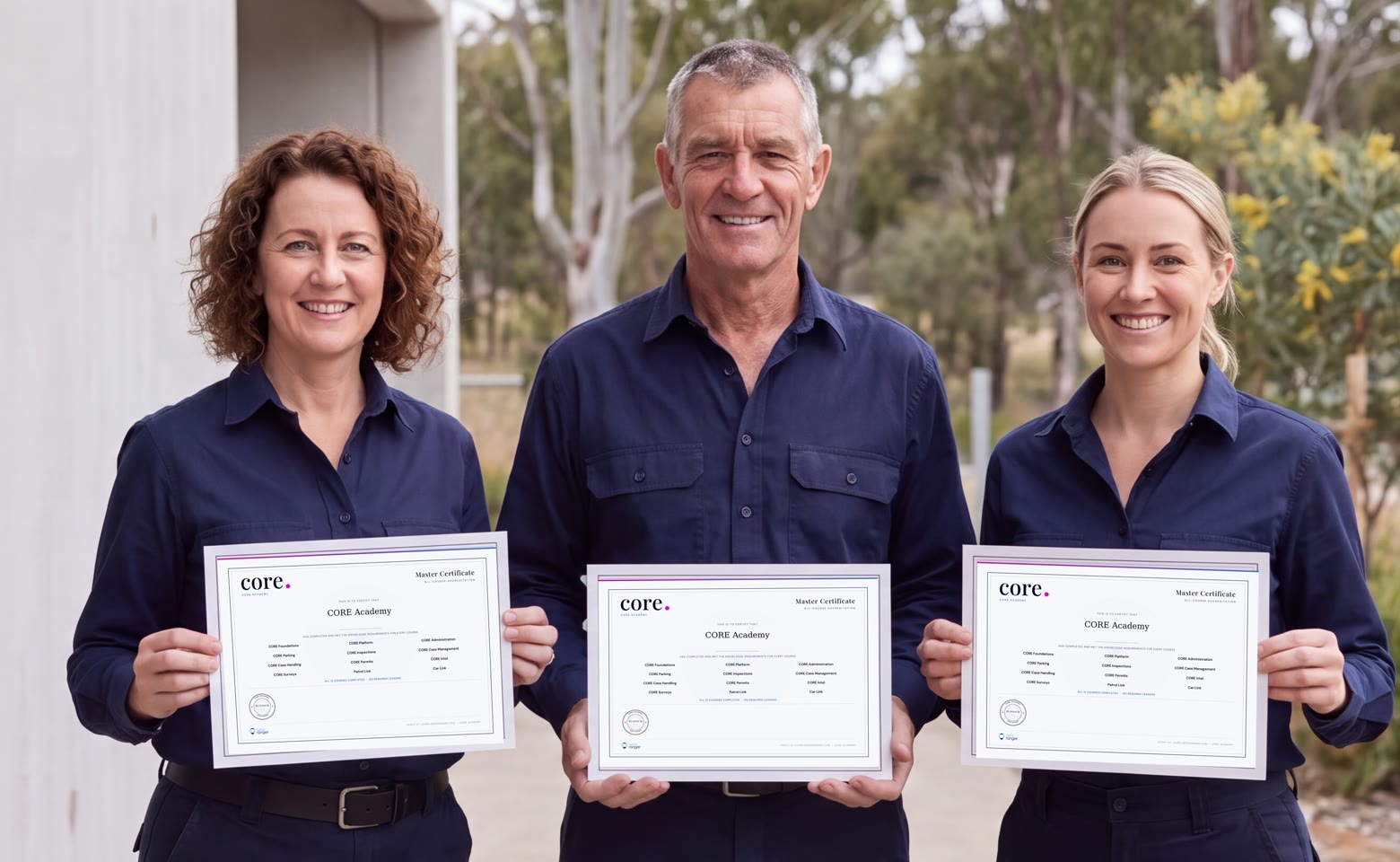
CORE Academy
Know the workflow.
Be proud of what you know.
Learn the everyday work behind CORE, from the first field observation to the next person picking up the case.
Courses are assigned after your access request is approved.
12Practical courses
193Lessons across the Academy
1Connected office-to-field pathway
Your certification pathway
Start with the work you need to understand. Build your knowledge, check it as you go, and keep a record of the training you have earned.
Browse the Academy courses and request access. Once approved, your courses are assigned to your account.
Work through your assigned lessons and knowledge checks. Revisit explanations and follow the requirements shown in each course.
View your recorded results and issued certificates. Work towards the Master Certificate by meeting the requirements across all 12 courses.
Academy certification recognises Aero Ranger product learning. Your organization's authority, local procedures and jurisdiction-specific training still apply.
Inside CORE Academy
A short guide, a practical walkthrough and a knowledge check. These example screens show the Academy's learner experience.
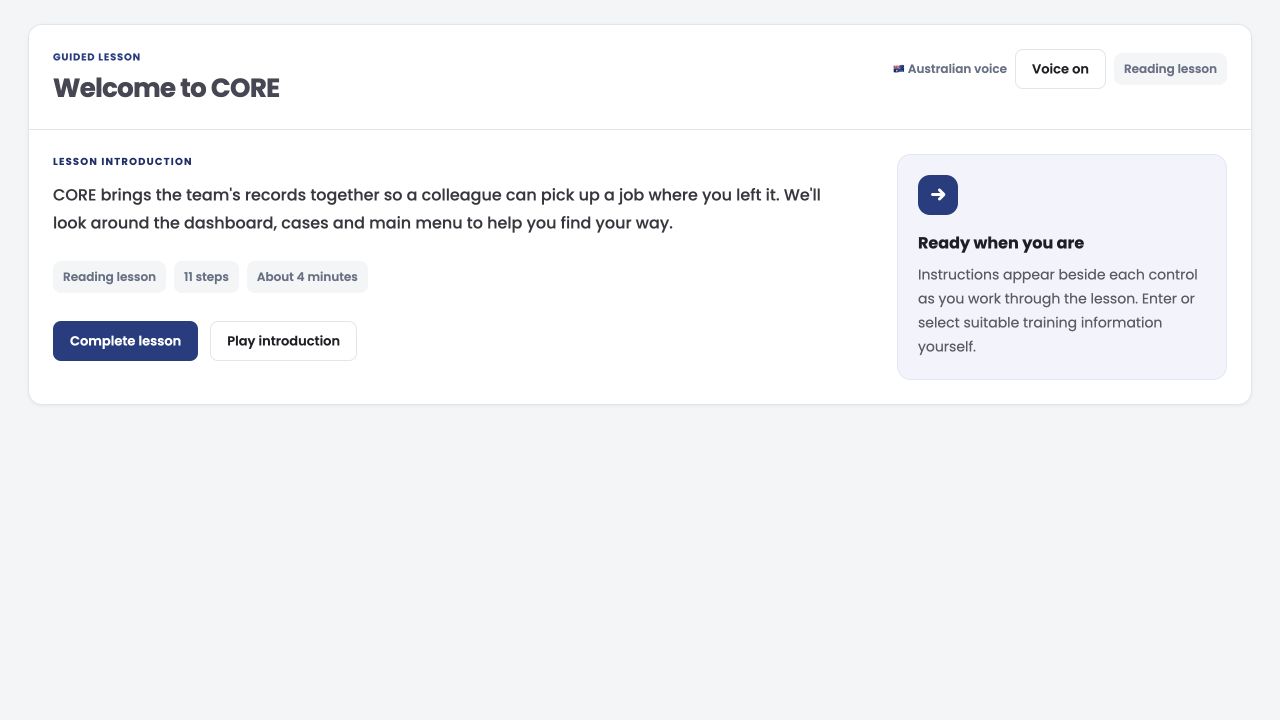
Each lesson introduces the job and the steps ahead. Optional voice narration accompanies the learning.
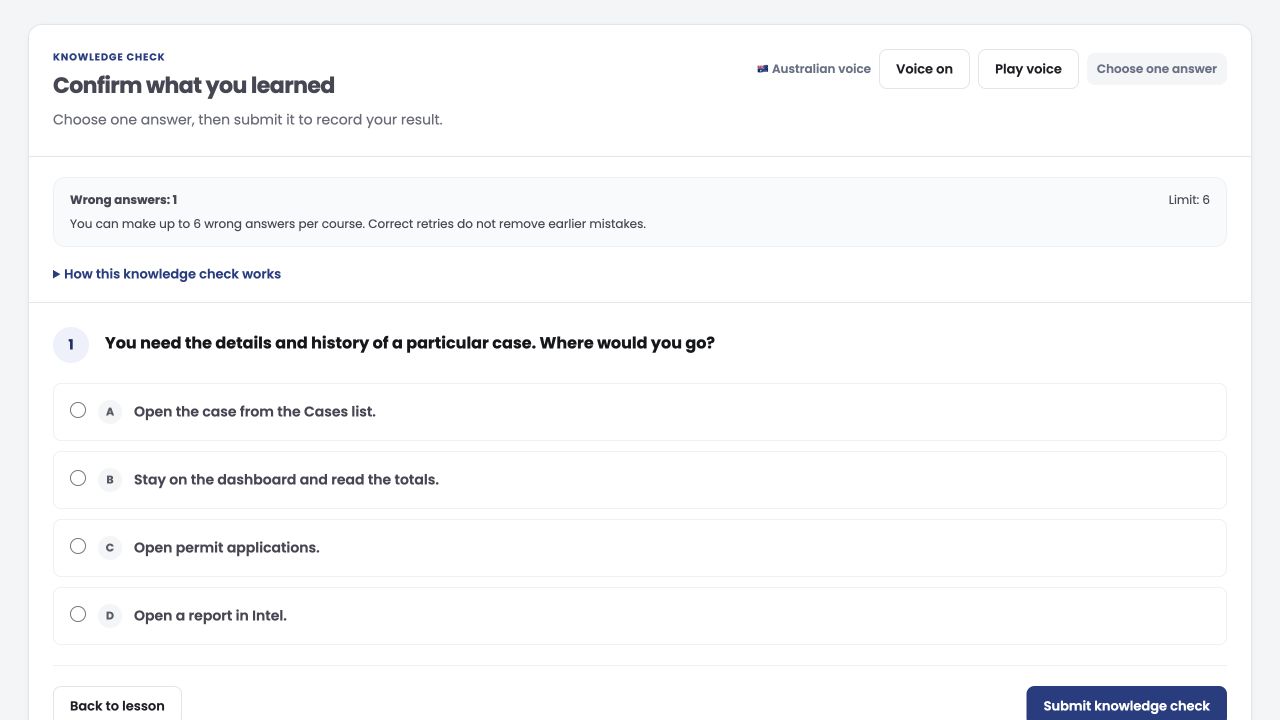
Knowledge checks ask you to make a choice and review what needs another look.
Academy screens shown with example training data.
A useful first look
Explore two unlisted lessons from the Academy: one in the office, one in the field.
Find your way around the dashboard, cases and main menu, and see how a shared record helps the next person pick up a job.
Work through a field inspection, review the answers and check where the submission is going before leaving the visit behind.
No sign-in required. The Academy's five-lesson preview limit applies. Sample lessons are in English and do not award certification.

These are the courses available in the Academy. Start with Foundations and Platform for context, then follow the pathway assigned to your role.
12 courses

CORE Foundations
Follow a job through CORE, then practise the people, permissions, rules and documents behind it.

CORE Platform
Understand the workspace and how shared records connect office and field work.

CORE Administration
Work through user roles, access reviews, audit logs, imports and integrations.

CORE Parking
Explore zones, rules, captures, permits, payments and device activity before reviewing a parking enquiry.

CORE Inspections
Design questions, try the form and publish it with the field officer and reviewer in mind.

CORE Case Management
Practise the rules, workflow labels and document layouts that support your case team.

CORE Case Handling
Review evidence, tasks, documents and history so a colleague can pick up the matter.

CORE Permits
Configure offers, process requests and check proof and approval history.

CORE Intel
Compare periods, sources and areas, and share reports with their assumptions clear.

CORE Surveys
Select study areas, compare periods and check how much observation supports a result.

Patrol Link
Practise vehicle capture, inspections, case updates and handovers in the mobile workflow.

Car Link
Work through equipment checks, patrol routes, evidence review and what has saved or still needs uploading.
Course catalog checked 19 October 2026. Your assigned training and current requirements are shown in the Academy.
A good reason to start
Training should be useful when you get back to work. Here is what makes this pathway worth your attention.
Learn how a record moves through CORE and why the next person needs its context. The task makes more sense when you can see the whole journey.
Work through the learning and knowledge checks before applying the workflow under your organization's supervision. Bring questions to training, not just to the next job.
Start with your assigned courses. Field officers, case teams and administrators can focus on the workflows that match their responsibilities.
Practise inspections, observations and case records with the reviewer in mind. Photos, notes and context each have a place in the handover.
A vehicle observation is not a compliance decision. Learn to check the available zone, permit, payment and evidence context rather than treating a capture as the answer.
Use the same course material to discuss roles, records and next steps. Keep your organization's local procedures alongside the product training.
Use the knowledge review to revisit missed questions and their explanations. Understanding the correction matters more than remembering a button.
Keep course progress, lesson completion and knowledge results together. See what is finished and what still needs attention without confusing completion with certification.
Issued certificates include their award details and a verification QR code. Your learning report brings course results, review notes and issued certificates together.
Build from individual courses to the full Academy pathway. The Master Certificate recognises completion and the required knowledge across all 12 courses.
More than a finished lesson
A course result, a certificate and a complete learning record each tell a different part of the story. Keep them together, and know what each one means.
Explore the AcademyIssued awards keep their course, score and issue details, with a QR code for verification. Check your recorded certification status rather than relying on a completion percentage.
Bring saved progress, results, review explanations and issued certificates into one document. Keep useful corrections alongside the achievement.
The all-course award recognises the full Academy pathway: all 12 courses and the required knowledge. It is a distinct goal, not a promise attached to enrolment.
Before you start
For your organization's access and training plan, speak with the Academy team.
Request access through the Academy course page. The Academy team reviews the request and assigns courses after approval. Already have an account? Use the Academy sign-in link.
Your assigned training can match your role. The Master Certificate is the all-course pathway: all 12 courses and the Academy's knowledge requirements. Check your assigned pathway with your Academy manager.
Not on its own. Lesson completion, knowledge results and certification status are separate. Follow the current course requirements and check the result recorded in the Academy.
This is Aero Ranger product training and certification. It does not confer enforcement powers, replace employer authorization or substitute for jurisdiction-specific training, legal advice or a regulated qualification.
The Academy learning report brings saved progress, course results, knowledge-review explanations and issued certificates into one document. Issued certificates retain their award details and verification QR code.
CORE Academy is valued at AUD $1,590 per organization and is free until 2027. The amount of training depends on your assigned courses and learning needs. Request access so the Academy team can confirm a suitable training plan for your organization.
CORE Academy
Request access, find your pathway and build knowledge you can bring back to the team.
Get the field app for iPhone, iPad and Android. Your organization provides your account access.